kindly

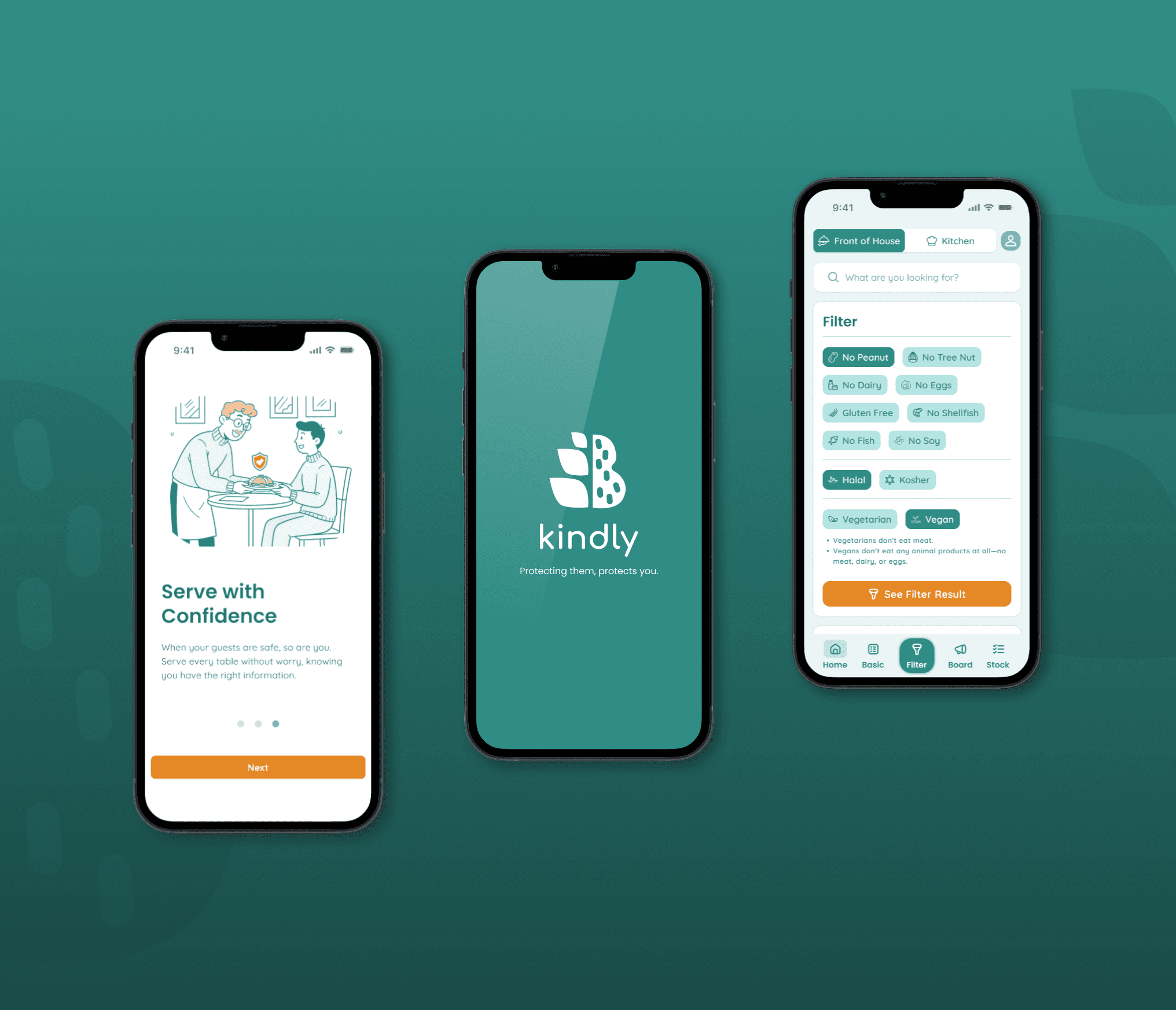
A UX case study focused on preventing dangerous allergic reactions in restaurants. 'Kindly' is a mobile tool designed to gives staff an easy-to-use filtering system to quickly identify safe menu options for customers with allergies.

(This is a concise overview. You can read the full, in-depth case study here.)
Roles

  • User Experience (UX) Design

  • UX Research

  • User Interface (UI) Design

  • Brand Design

Deliverables

  • User Research

  • User Personas

  • Information Architecture (IA)

  • Sitemap

  • User Flows

  • Lo-Mid Wireframes

  • Brand Identity

  • Design System

  • High-Fidelity UI Mockups

  • Interactive Prototype

  • Usability Testing Plan

Tools

  • Figma

  • Octopus

  • Adobe Photoshop

  • Gemini

  • Miro

Roles

  • User Experience (UX) Design

  • UX Researcher

  • User Interface (UI) Designer

  • Brand Designer

Deliverables

  • User surveys and one-on-one interviews

  • Site map

  • Personas

  • Design system

  • Lo-mid wireframes

  • High-fidelity mockups and prototypes

  • Usability tests and findings

Tools

  • Figma

  • Octopus

  • Adobe Photoshop

  • Gemini

  • Miro

Overview

In the high-stakes restaurant industry, a single food allergy mistake can devastate a business. This project, initially inspired by my part-time work to create a staff training app, pivoted after in-depth interviews revealed a more critical issue. The true problem wasn't a lack of training, but the pervasive fear of accidentally serving a guest with a food allergy.

This insight shifted my focus entirely. I designed Kindly, a "Single Source of Truth" mobile app built to solve this specific problem. Instead of a general training tool, Kindly empowers employees to handle all allergy and dietary inquiries with speed and certainty. Its core feature, the "Safe Menu Filter," instantly identifies safe options, transforming staff anxiety into confidence and ensuring a secure experience for every guest.

The Challenge

The Challenge

  • A constant and serious risk to customer safety from serving allergens.

  • Slow, inefficient service because servers had to run to the kitchen to double-check ingredients.

  • Staff lacked the confidence to upsell or recommend food, fearing they would give wrong information.

  • Costly kitchen mistakes, food waste, and delays resulting from vague special orders.

Proposed Solutions

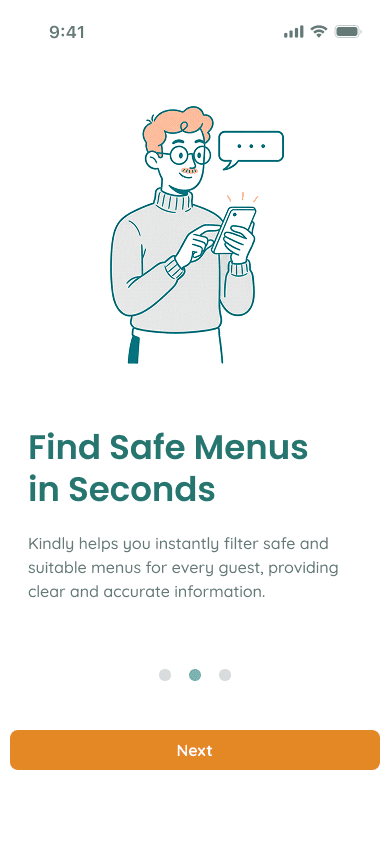
  • I designed a single platform to give staff instant and reliable access to all menu information.

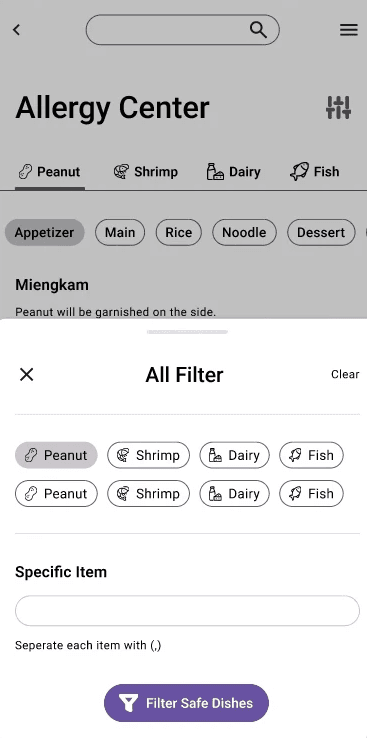
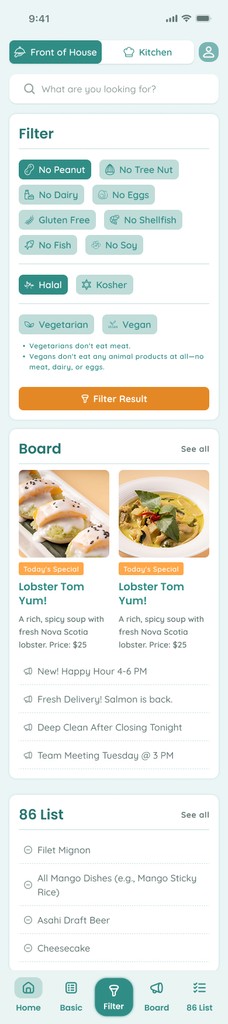
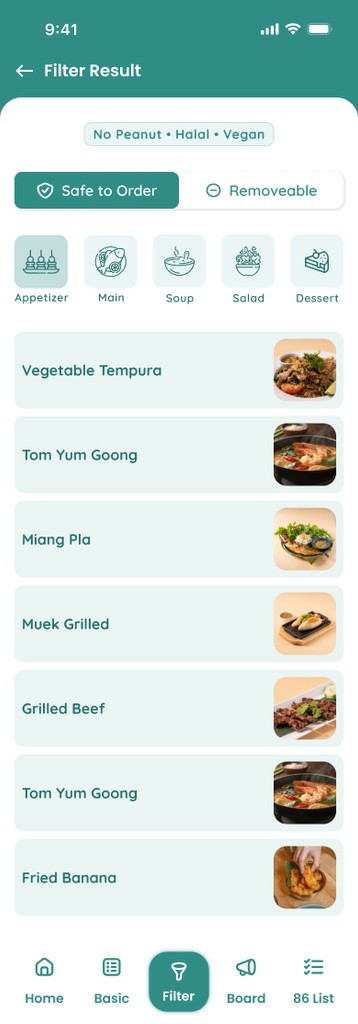
  • The core feature is a "Smart Filter" that immediately finds safe-to-order items based on multiple conditions like food allergies, vegan, or halal.

  • This tool was built to replace staff uncertainty with confidence, ensuring a safer, faster, and more efficient experience for every guest.

The Challenge

  • A constant and serious risk to customer safety from serving allergens.

  • Slow, inefficient service because servers had to run to the kitchen to double-check ingredients.

  • Staff lacked the confidence to upsell or recommend food, fearing they would give wrong information.

  • Costly kitchen mistakes, food waste, and delays resulting from vague special orders.

Proposed Solutions

  • I designed a single platform to give staff instant and reliable access to all menu information.

  • The core feature is a "Smart Filter" that immediately finds safe-to-order items based on multiple conditions like food allergies, vegan, or halal.

  • This tool was built to replace staff uncertainty with confidence, ensuring a safer, faster, and more efficient experience for every guest.

User Research

To gain a deep understanding of the problem, I employed a Mixed-Method Research approach, which included.

  • Online Surveys I conducted surveys to gather quantitative data on the "Importance" and "Satisfaction" of various work tasks, aiming to identify the most critical gaps in the current process.


  • In-depth Interviews I interviewed staff in different roles (new hires, senior staff, cook, server, manager) and the restaurant owner to understand "why" these problems occur, capturing the stories, feelings, and anxieties behind the data.

Key Findings

Key Findings

My analysis revealed critical insights that demanded a solution built specifically for speed and accuracy.

  • The core problem wasn't just inefficiency. It was the "fear" of accidentally serving an allergen. This anxiety comes from a deep lack of trusted, accurate information which poses a risk to both diners and the business.

  • Current Tools are Slow and Risky Staff reported that existing tools, like physical SOP or asking senior staff, are slow, unreliable, and difficult to search. Relying on memory is the biggest bottleneck and a primary source of inaccurate answers and stress.

  • Slow Information Destroys Confidence When staff can't get a fast, accurate answer, they hesitate, take longer to serve guests, and may provide incorrect information. The solution must be instant and simple to be adopted in a high-pressure restaurant environment.

User Research

To gain a deep understanding of the problem, I employed a Mixed-Method Research approach. This allowed me to first identify what the problems were with data, and then understand why they were happening through personal stories.

  • Online Surveys I conducted surveys to gather quantitative data on the "Importance" and "Satisfaction" of various work tasks, aiming to identify the most critical gaps in the current process.


  • In-depth Interviews I interviewed staff in different roles (new hires, senior staff, cook, server, manager) and the restaurant owner to understand "why" these problems occur, capturing the stories, feelings, and anxieties behind the data.

Key Findings

My analysis revealed critical insights that demanded a solution built specifically for speed and accuracy.

  • The core problem wasn't just inefficiency. It was the "fear" of accidentally serving an allergen. This anxiety comes from a deep lack of trusted, accurate information which poses a risk to both diners and the business.

  • Current Tools are Slow and Risky Staff reported that existing tools, like physical SOP or asking senior staff, are slow, unreliable, and difficult to search. Relying on memory is the biggest bottleneck and a primary source of inaccurate answers and stress.

  • Slow Information Destroys Confidence When staff can't get a fast, accurate answer, they hesitate, take longer to serve guests, and may provide incorrect information. The solution must be instant and simple to be adopted in a high-pressure restaurant environment.

"A single food allergy mistake is devastating. It puts a diner's health in serious danger and can ruin our restaurant's reputation overnight."

— Jimmy Chu, Restaurant Owner

"I saw an ambulance called for a peanut allergy at my last job. Now, every time a guest asks, that's all I can think about. I'm terrified of being the one to make that mistake."

— Tony Simson, Server

"A single food allergy mistake is devastating. It puts a diner's health in serious danger and can ruin our restaurant's reputation overnight."

— Jimmy Chu, Restaurant Owner

"A single food allergy mistake is devastating. It puts a diner's health in serious danger and can ruin our restaurant's reputation overnight."

— Jimmy Chu, Restaurant Owner

"I saw an ambulance called for a peanut allergy at my last job. Now, every time a guest asks, that's all I can think about. I'm terrified of being the one to make that mistake."

— Tony Simson, Server

"I saw an ambulance called for a peanut allergy at my last job. Now, every time a guest asks, that's all I can think about. I'm terrified of being the one to make that mistake."

— Tony Simson, Server

Information Architecture
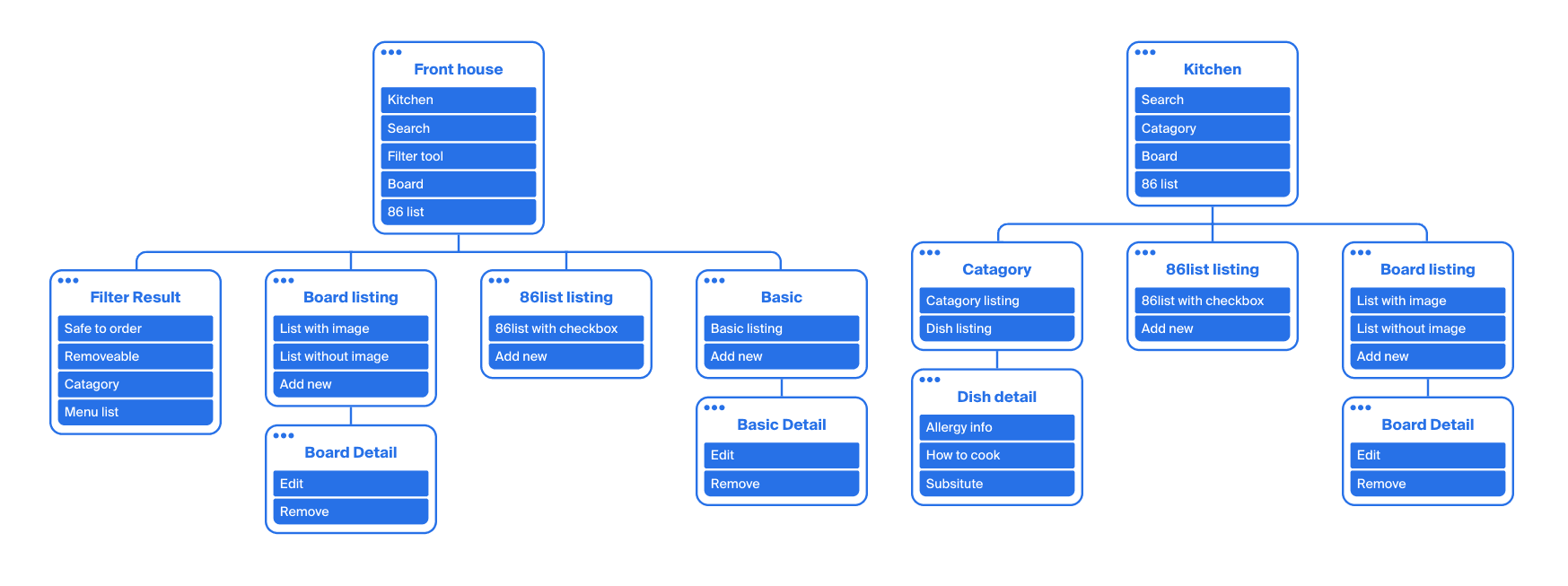
Based on card sorting, it was clear the IA needed to be role-based, as the needs of fast-paced FOH staff (speed) are fundamentally different from the accuracy-focused BOH staff. This led to a bifurcated architecture with two interconnected portals.

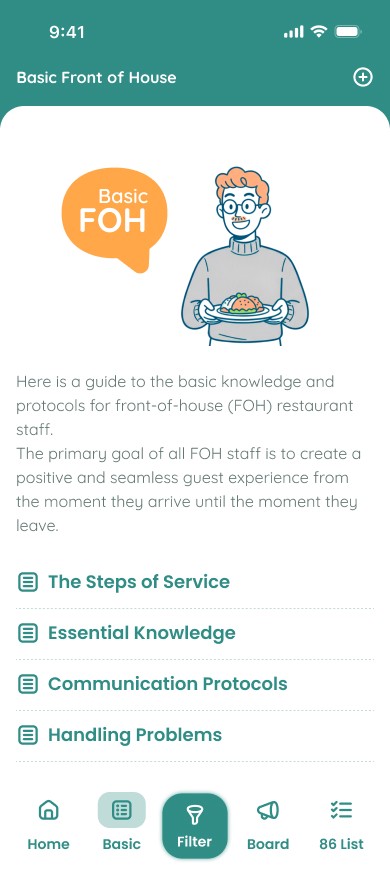
The FOH portal is streamlined for speed, prioritizing the Core Filtering Workflow for instant allergen answers at the tableside.

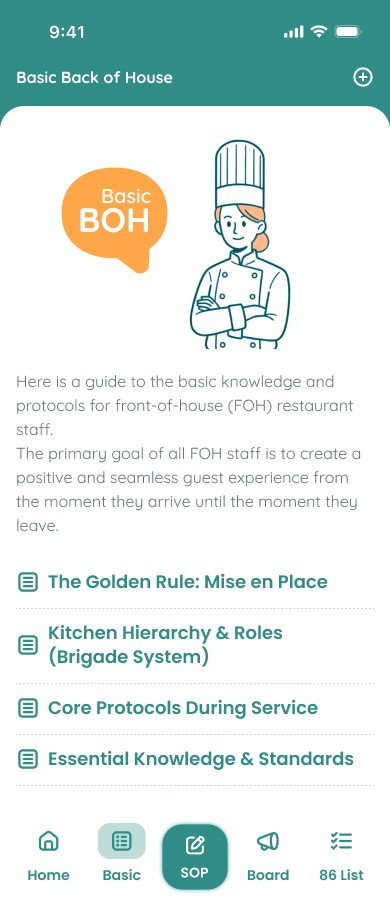
The BOH portal is the command center for accuracy, acting as the "Single Source of Truth" for all Menu Data Management, including official allergen info and recipes.

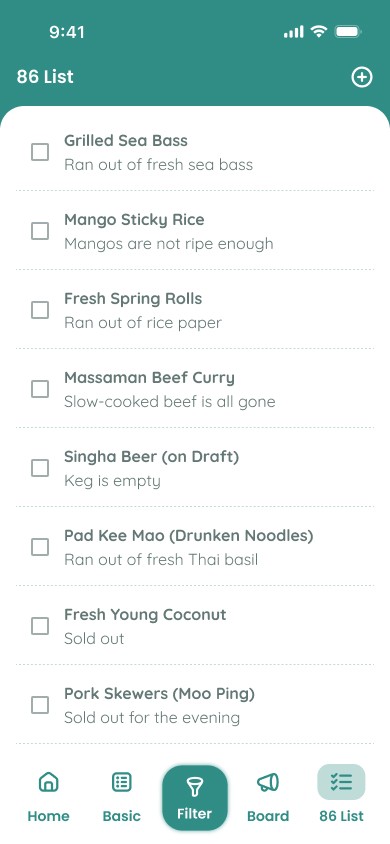
To bridge these two portals, key features like the 86 List and Board are deliberately shared. This design creates a vital, real-time communication channel, ensuring that when the kitchen updates an item's status, the service staff sees it instantly, preventing errors and keeping the entire restaurant in sync.

Based on card sorting, it was clear the IA needed to be role-based, as the needs of fast-paced FOH staff (speed) are fundamentally different from the accuracy-focused BOH staff. This led to a bifurcated architecture with two interconnected portals.

The FOH portal is streamlined for speed, prioritizing the Core Filtering Workflow for instant allergen answers at the tableside.

The BOH portal is the command center for accuracy, acting as the "Single Source of Truth" for all Menu Data Management, including official allergen info and recipes.

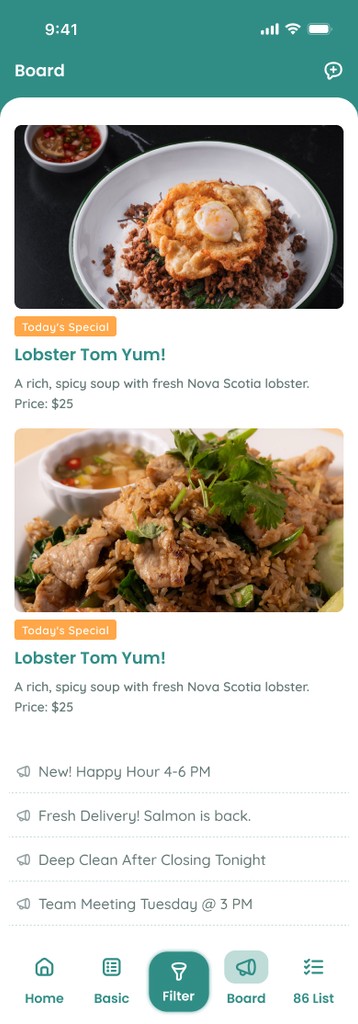
To bridge these two portals, key features like the 86 List and Board are deliberately shared.

This design creates a vital, real-time communication channel, ensuring that when the kitchen updates an item's status, the service staff sees it instantly, preventing errors and keeping the entire restaurant in sync.

User Flows and the Path to a Solution

To ensure our design addresses real user needs, I created user flows to visualize the journey through the most critical scenarios. I chose to highlight two key paths that demonstrate how the application solves the core problem for our primary personas: Tony, the server, and Jenny, the kitchen staff.

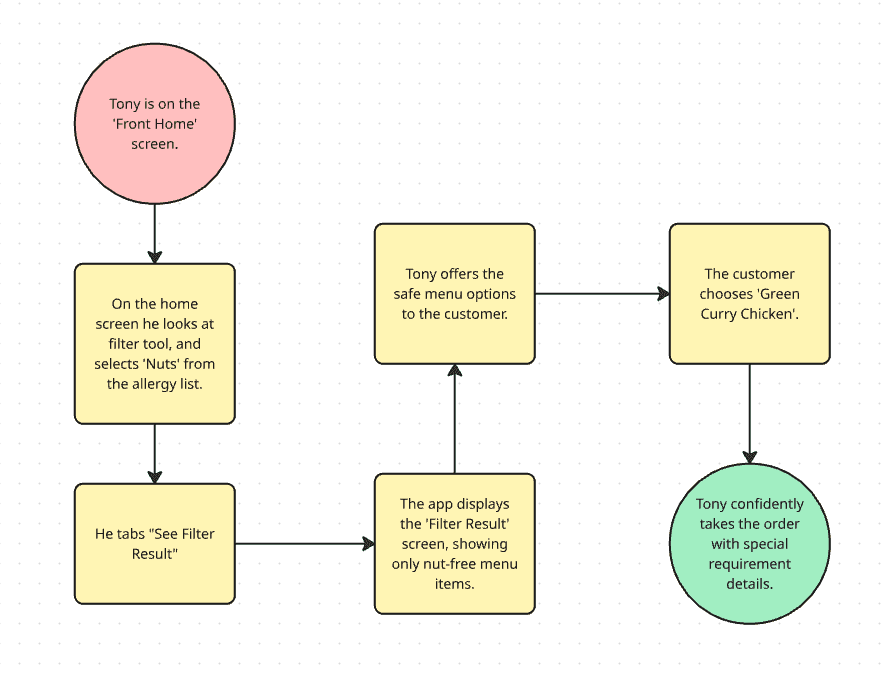
Flow 1: Handling a Severe Allergy Request

Scenario: A customer informs Tony they have a severe nut allergy and need a safe meal.

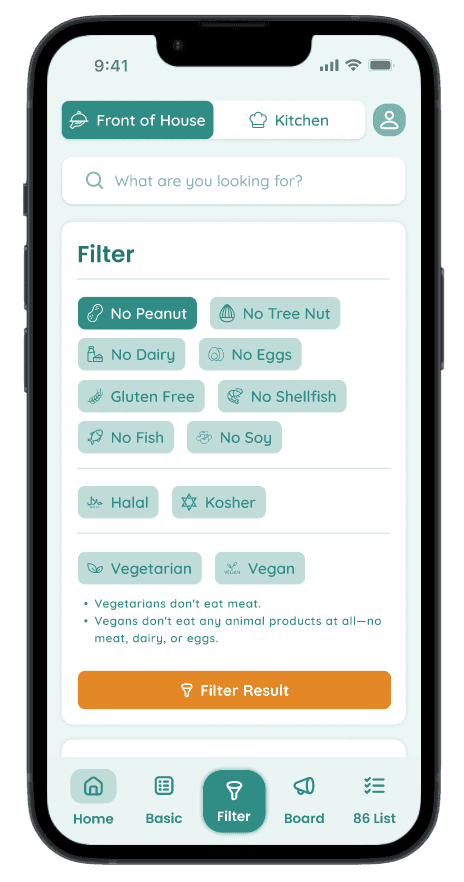
Impact: This flow eliminates the chaotic and time-consuming step of running back and forth to the kitchen. Tony uses the 'Filter Tool' to instantly filter and present safe menu options directly at the table. This process builds guest trust and empowers Tony to perform his job with complete confidence.
Flow1
Flow1
Flow1
Flow1
Flow1

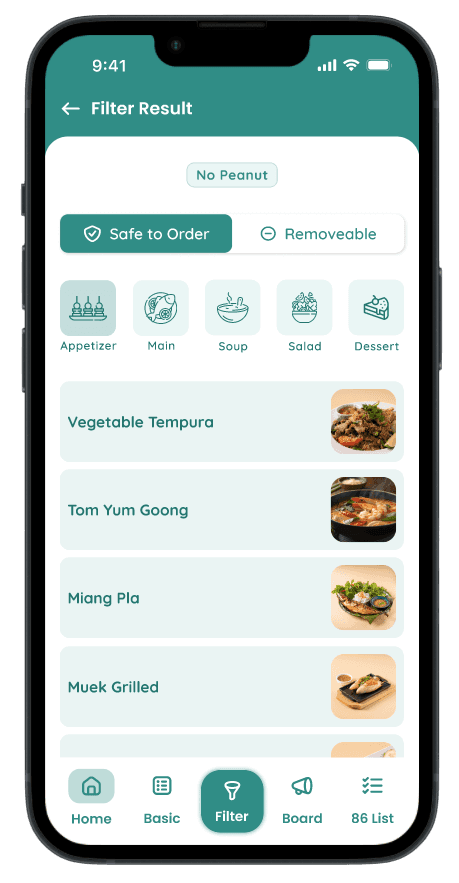
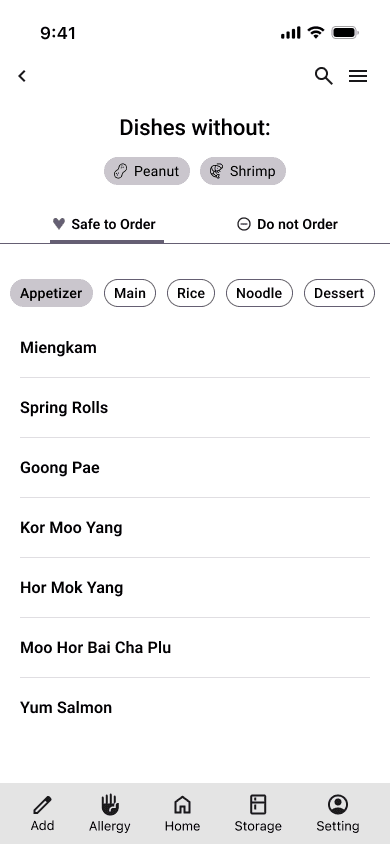
On the home screen he looks at filter tool, and selects 'No Peanut' from the allergy list.
He tabs "See Filter Result"

On the home screen he looks at filter tool, and selects 'No Peanut' from the allergy list.
He tabs "See Filter Result"

Flow1
Flow1

The app displays the 'Filter Result' screen, showing only nut-free menu items.

The app displays the 'Filter Result' screen, showing only nut-free menu items.

Flow1
Flow1

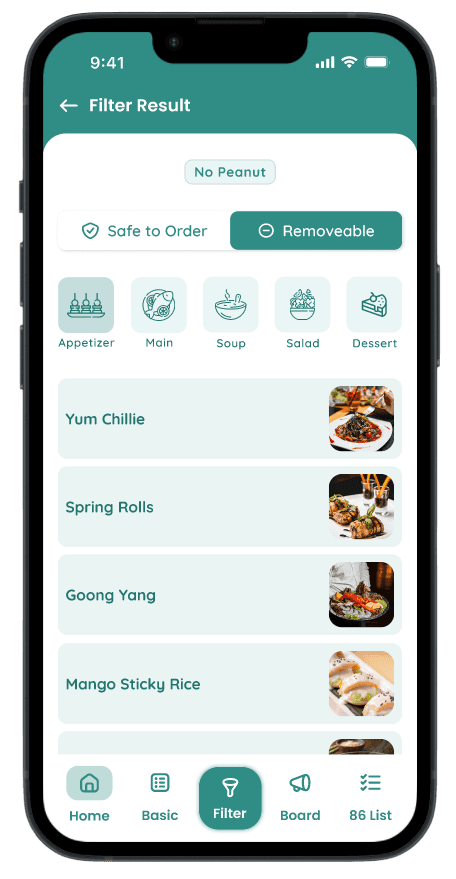
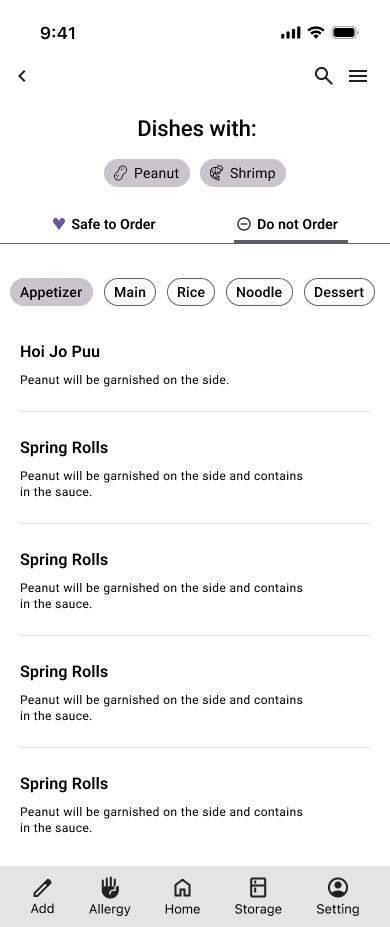
He tabs 'Removeable' to see menu items that contains peanut but removeable and offer to guest, then make a note for the kitchen staff.

He tabs 'Removeable' to see menu items that contains peanut but removeable and offer to guest, then make a note for the kitchen staff.

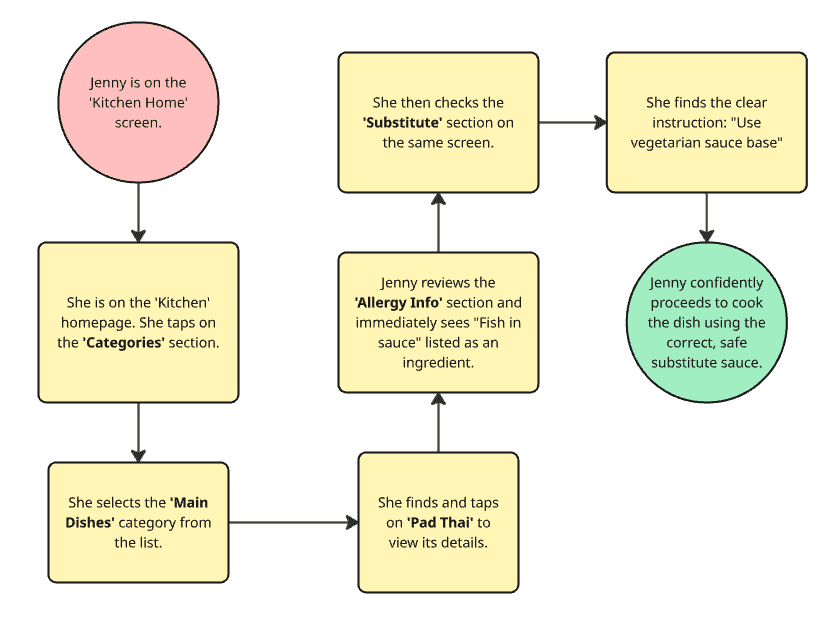
Flow 2: Ensuring Kitchen Accuracy and Safety

Scenario: Jenny receives a ticket for Pad Thai with a handwritten note: "Severe fish allergy, check sauce."

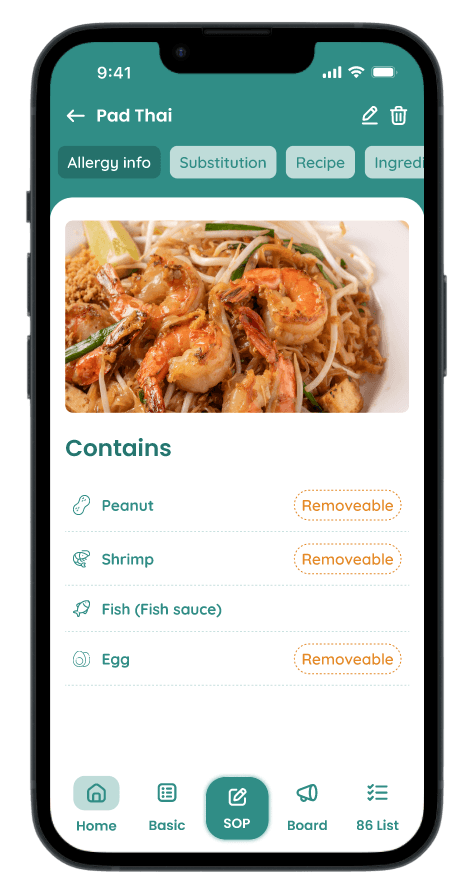
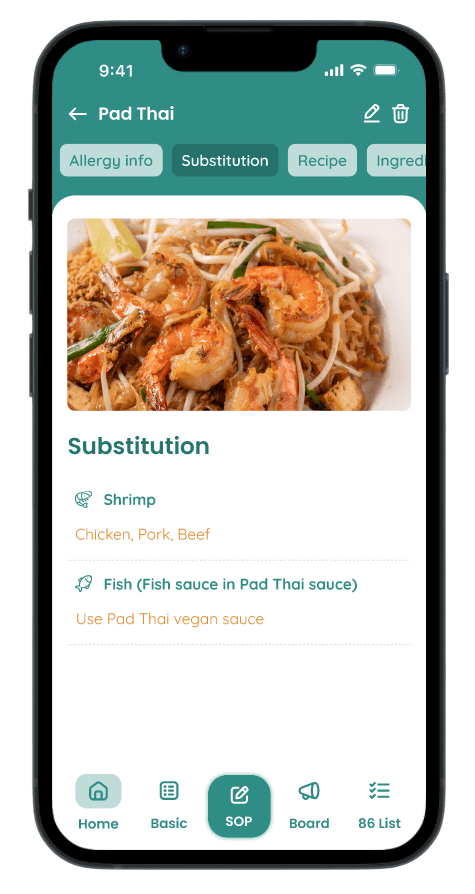
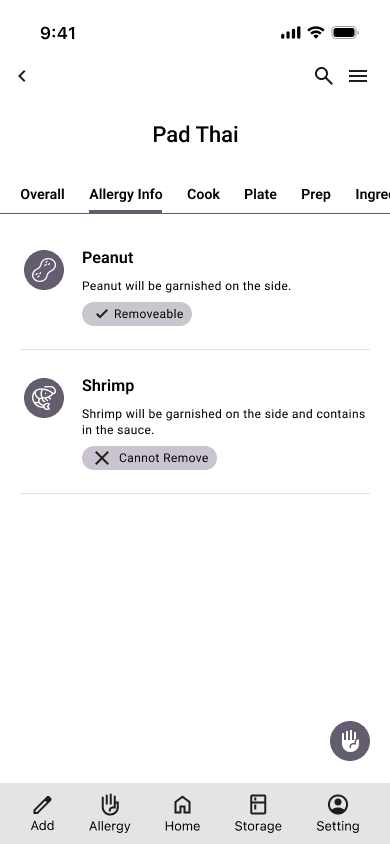
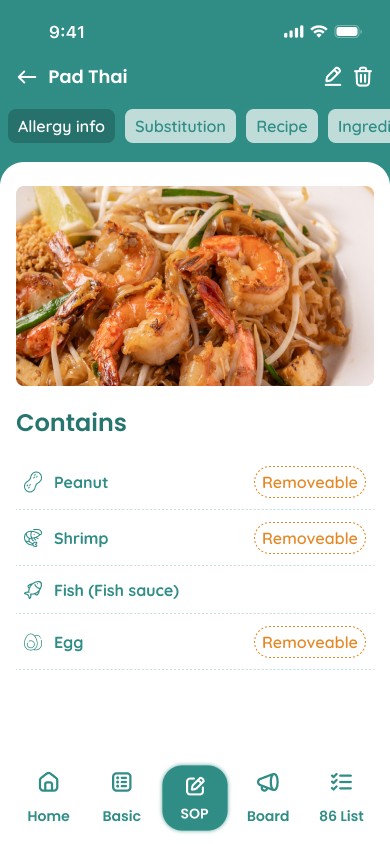
Impact: This flow shows how the app acts as the kitchen's "Single Source of Truth." Instead of guessing, yelling to the chef, or checking a binder, Jenny uses the app to look up "Pad Thai." She instantly taps the "Allergy Info" tab and verifies the standard sauce contains fish. She then taps the "Substitutions" tab, which gives her the clear, approved instruction to use the "vegetarian sauce base." This process removes all guesswork, ensures the dish is 100% safe, and stops a critical error before it ever leaves the kitchen.
flow2
flow2
flow2
Flow1
Flow1

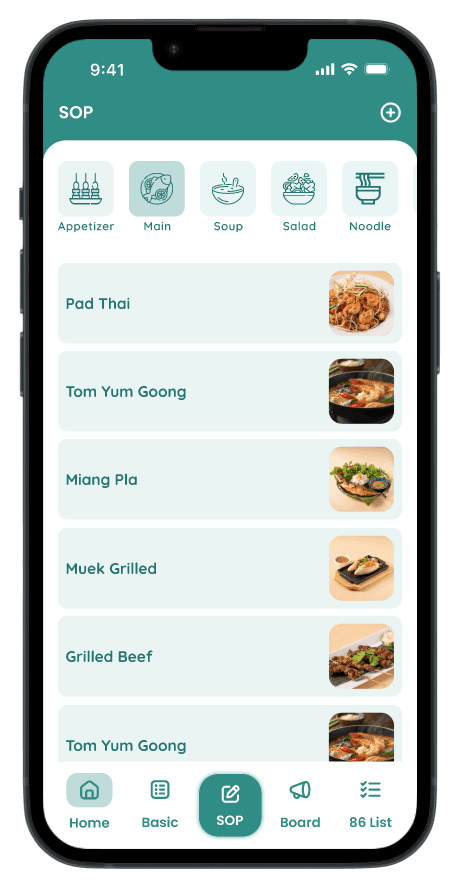
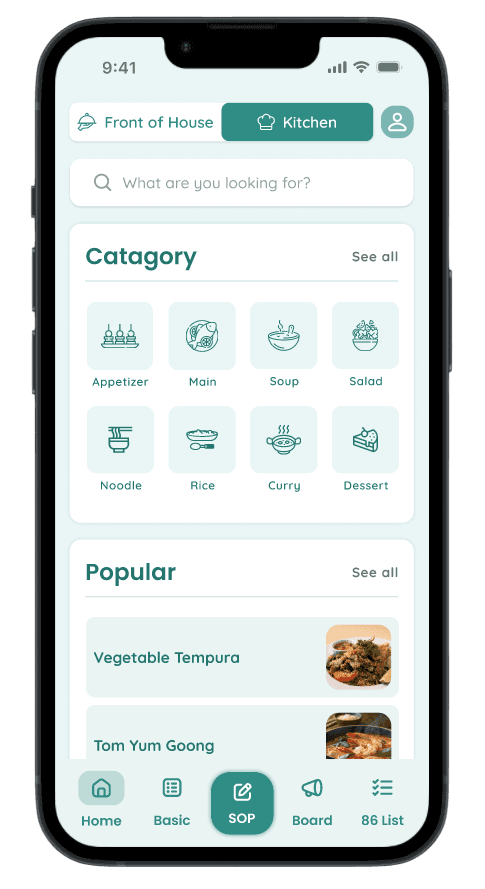
Jenny is on the 'Kitchen' homepage. She selects the 'Main Dishes' category from the list.

Jenny is on the 'Kitchen' homepage. She selects the 'Main Dishes' category from the list.

Flow1
Flow1

She finds and taps on 'Pad Thai' to view its details.

She finds and taps on 'Pad Thai' to view its details.

Flow1
Flow1

Jenny reviews the 'Allergy Info' section and immediately sees "Fish in sauce" listed as an ingredient.

Jenny reviews the 'Allergy Info' section and immediately sees "Fish in sauce" listed as an ingredient.

Flow1
Flow1

She then checks the 'Substitute' section and finds the clear instruction: "Use vegetarian sauce base"

She then checks the 'Substitute' section and finds the clear instruction: "Use vegetarian sauce base"

Wireframing from Sketches to Structure

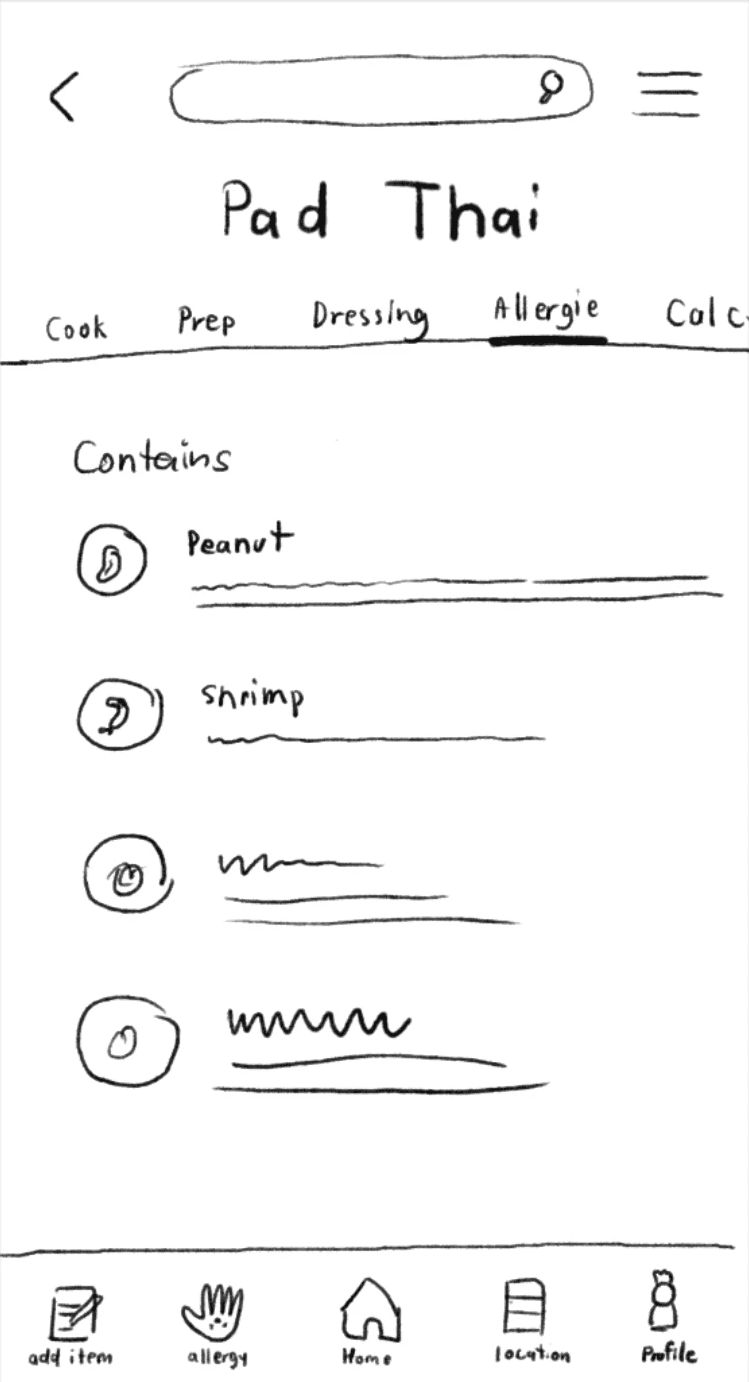
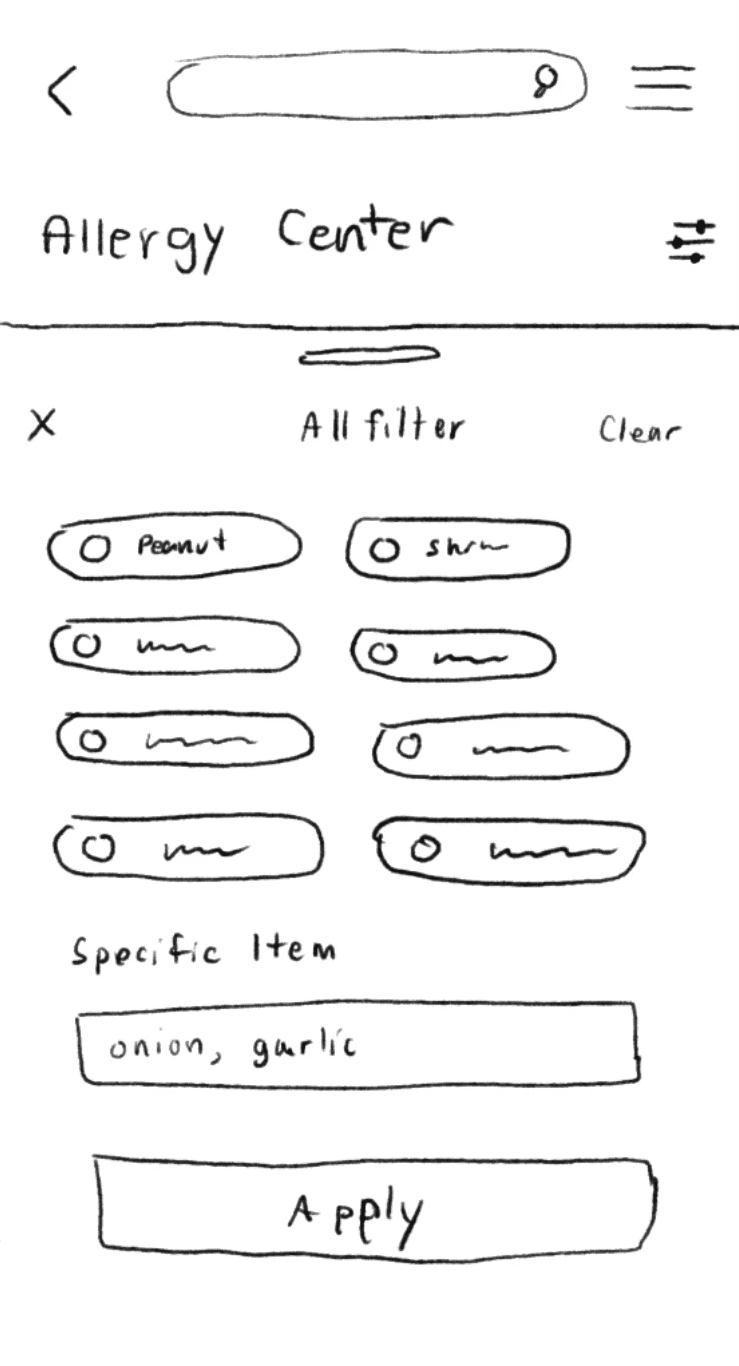
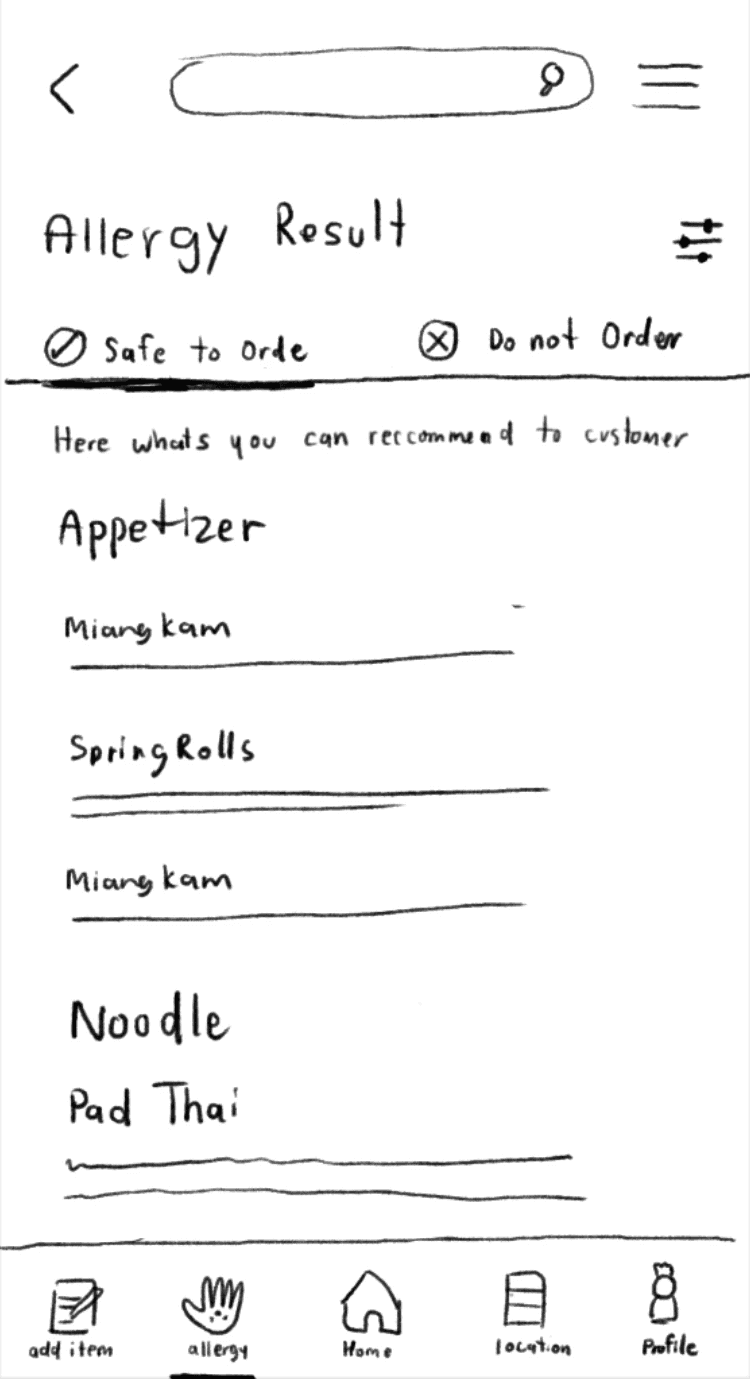
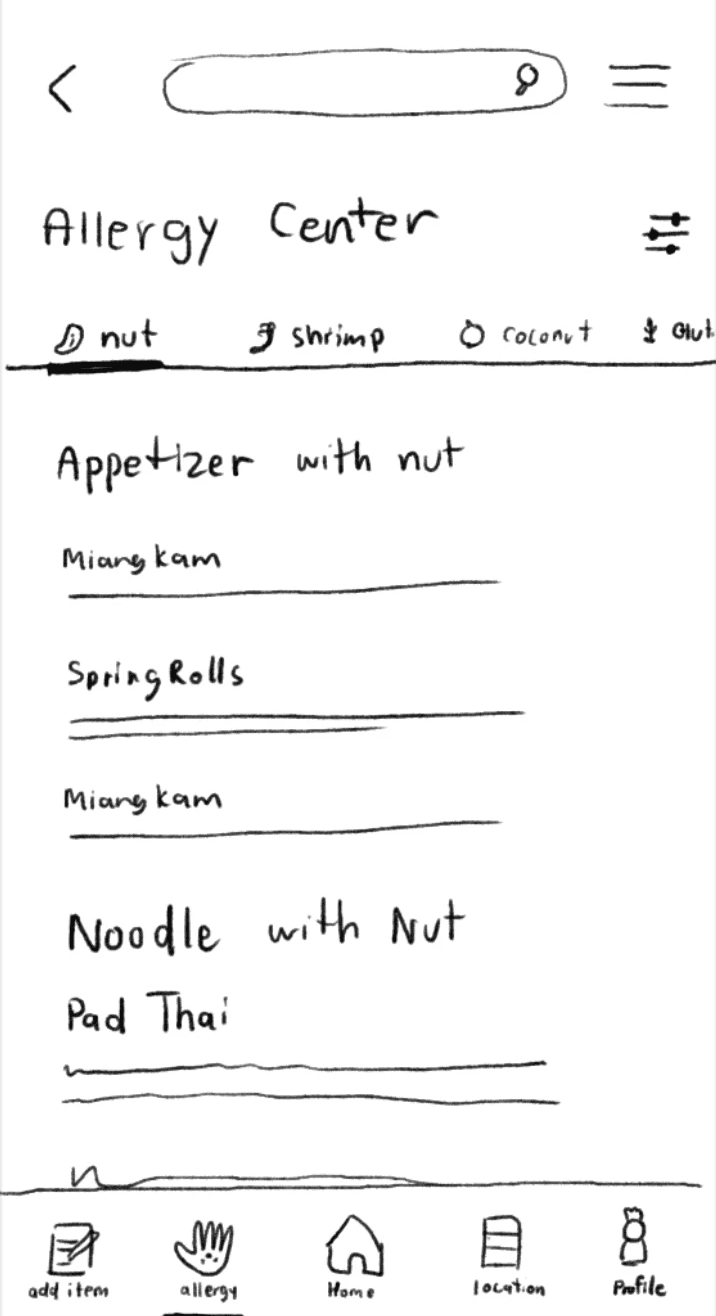
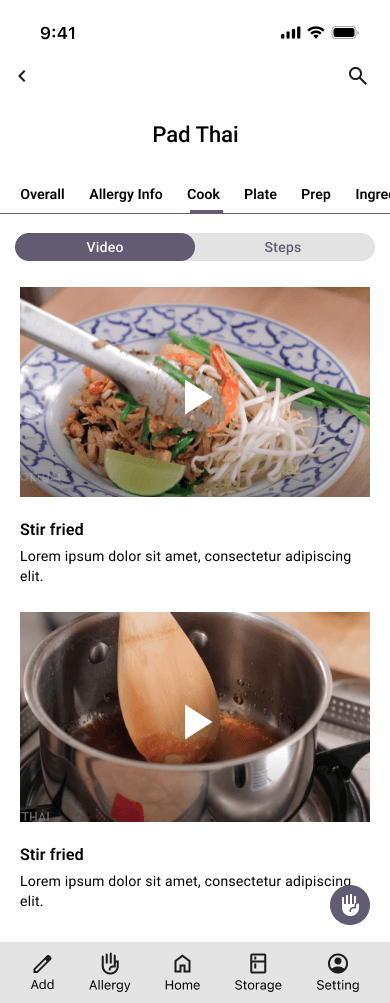
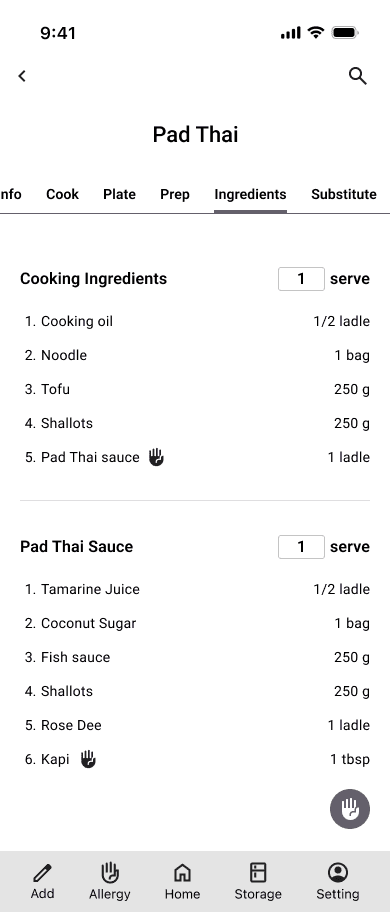
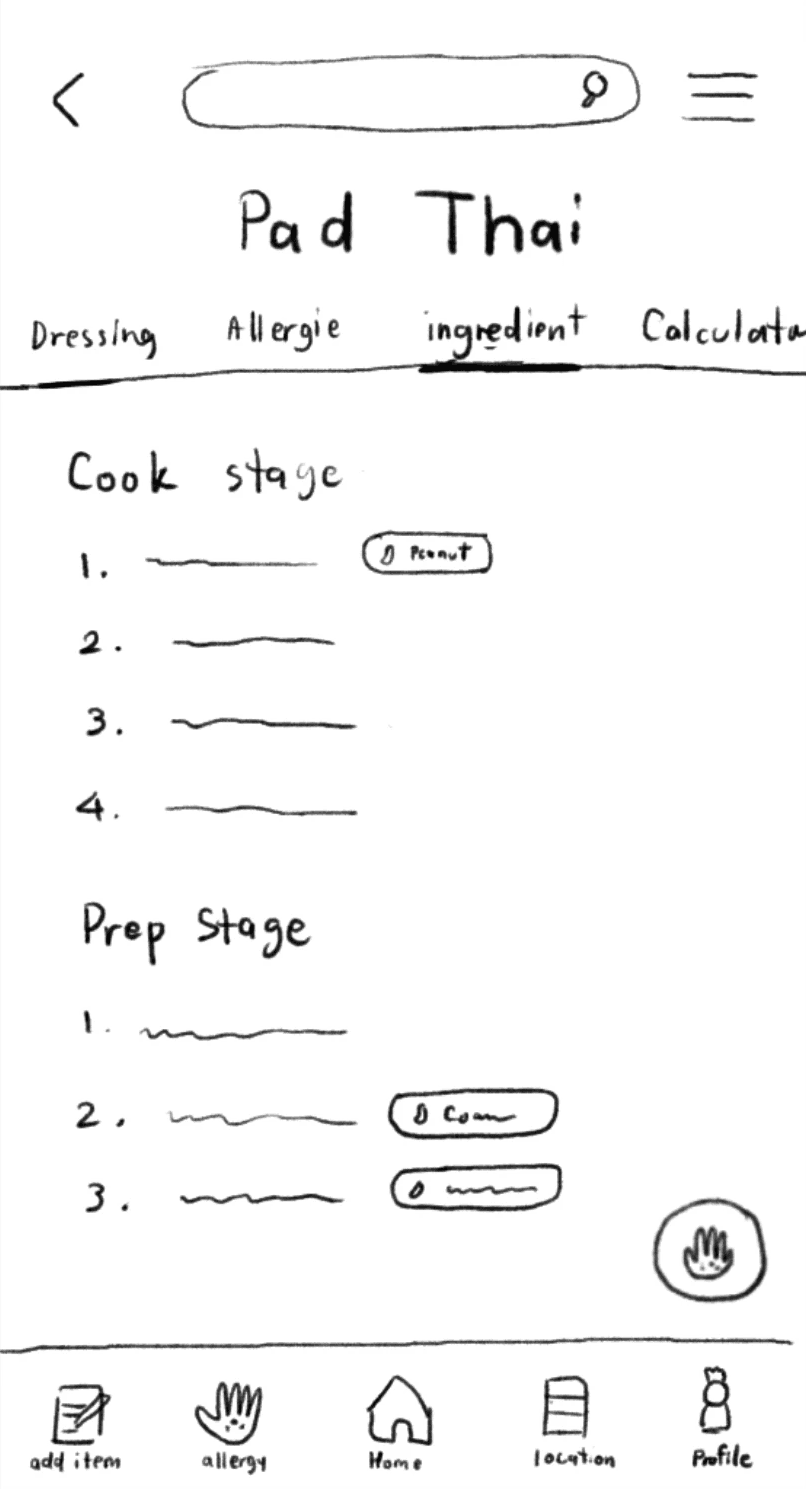
After defining the user flows, I translated the concepts into tangible layouts. I began with low-fidelity paper sketches to quickly brainstorm and validate core structures, focusing specifically on the complex 'Dish Detail' page and the critical 'Allergy Filtering' system. Once the basic layout was confirmed, I transitioned to digital mid-fidelity wireframes. This crucial step allowed me to refine the app's structure, establish a clear information hierarchy, and add all necessary components.

Early Usability Testing and Key Findings

Before the final visual design, I conducted an early round of usability testing on the mid-fidelity wireframes. This step was crucial for validating the app's structure and revealed several critical usability issues. Users confirmed that buttons were too small for a fast-paced environment, the core "Filter Tool" was not easily discoverable, and the path to finding specific "Allergy Info" was not intuitive. This valuable feedback directly informed my design iterations, and all of these key improvements were implemented in the final high-fidelity prototype to ensure the end product was genuinely easy to use in a real-world context.

Branding and Visual Identity

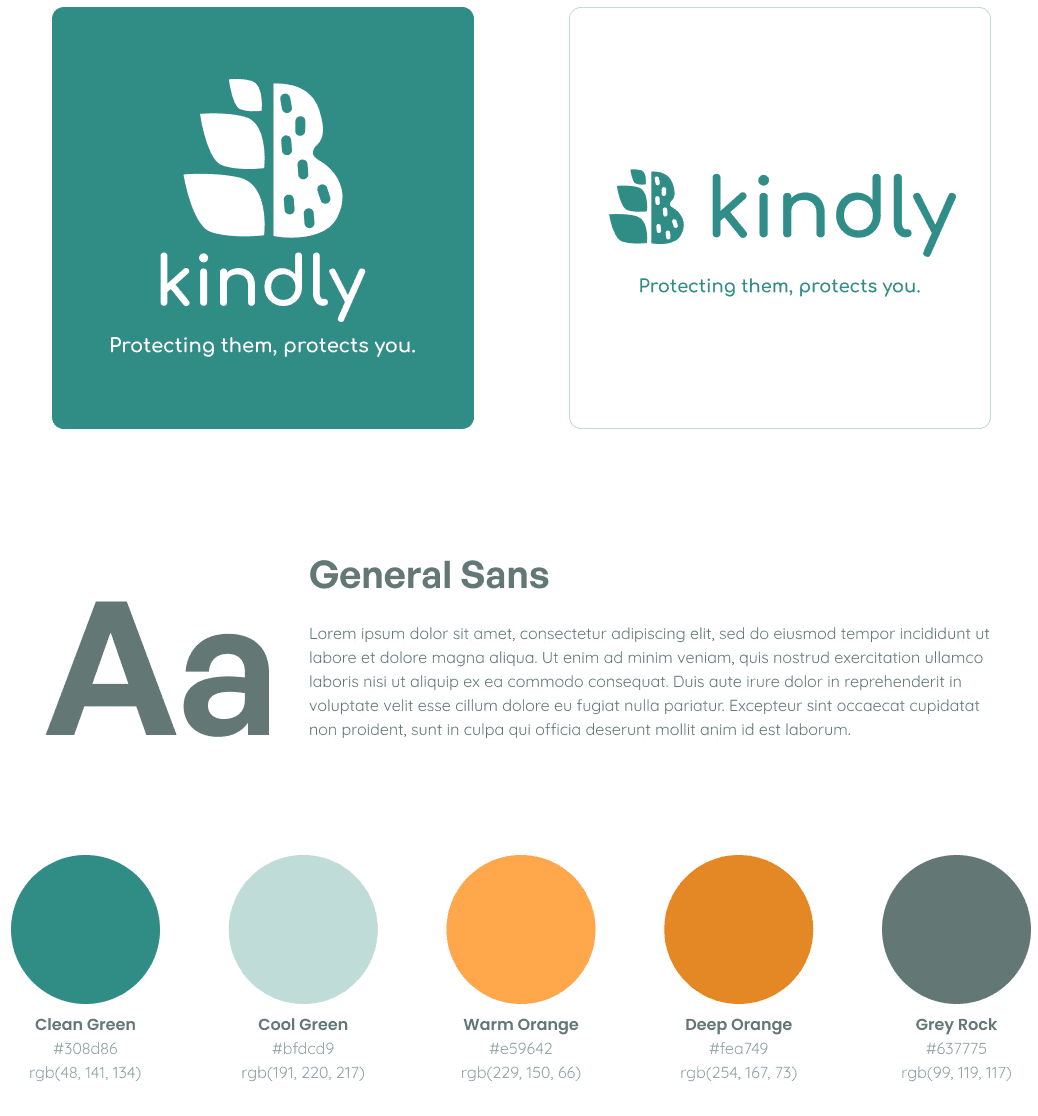
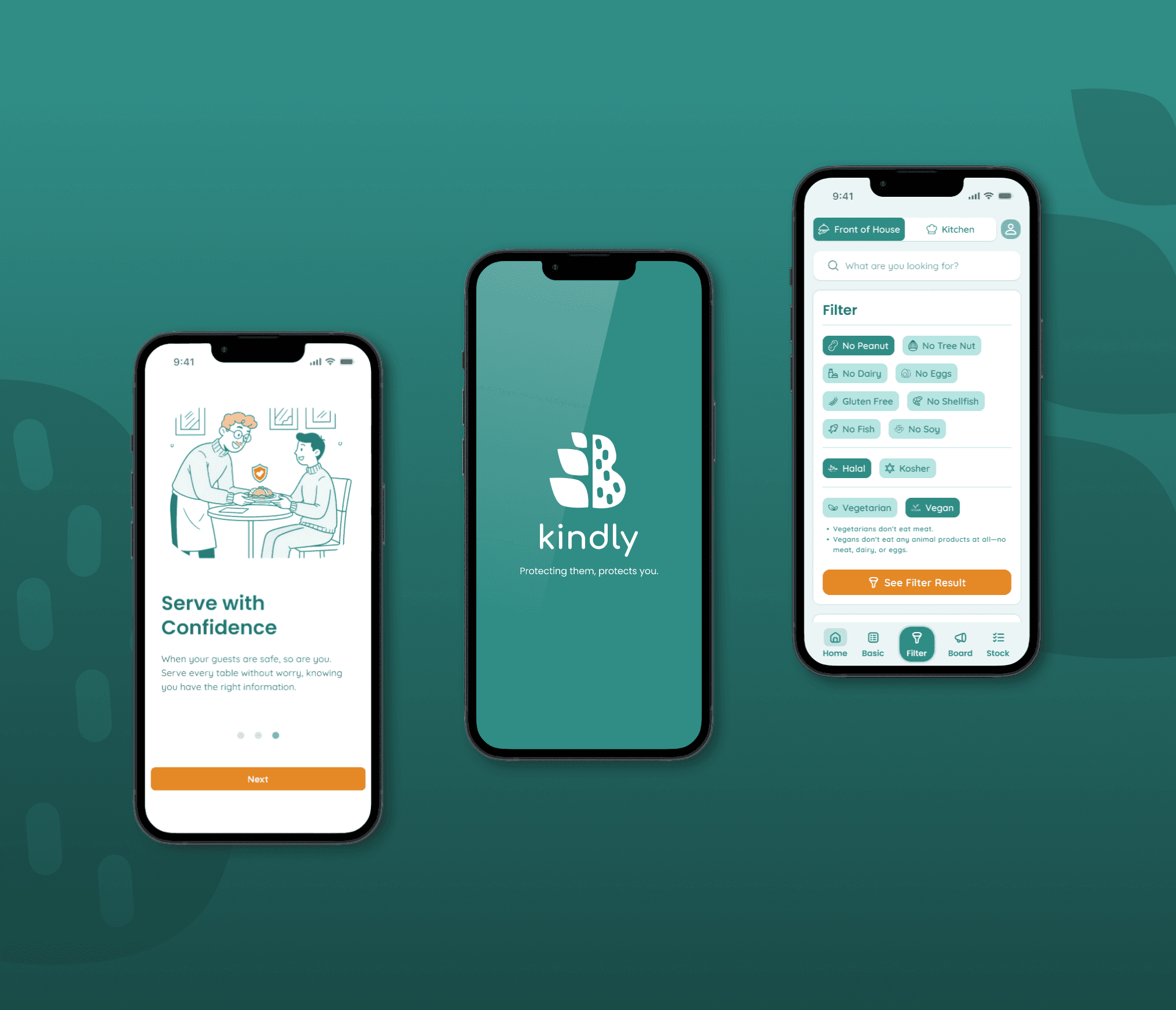
The brand identity for Kindly was designed to instantly communicate safety, trustworthiness, and warmth.

The logo itself reflects this mission by combining symbols of a 'wheat sheaf' and a 'peanut' to directly represent the common allergens the app helps manage.

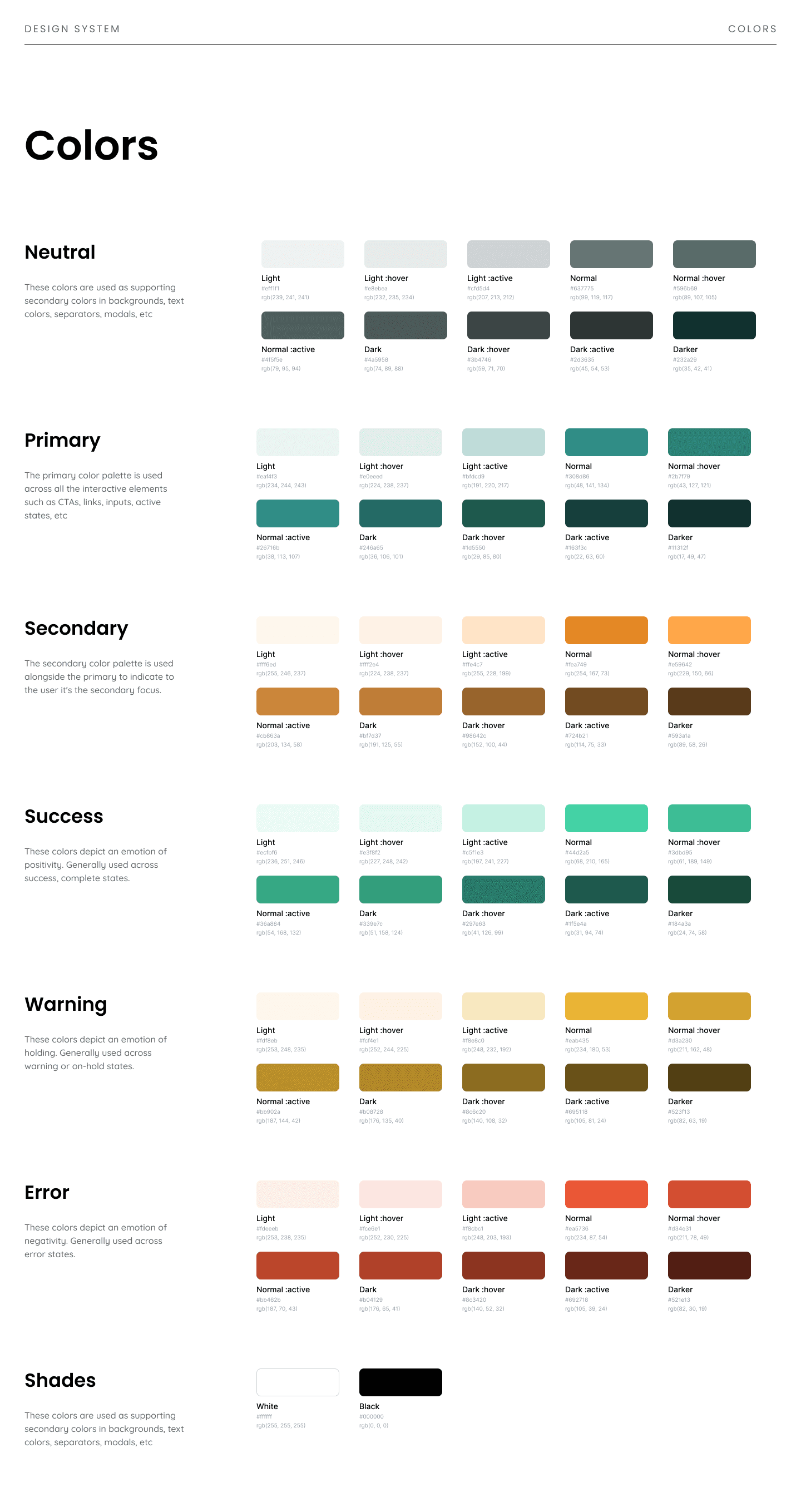
The color palette builds on this trust, a primary Cool Green connects to health and safety, while a secondary Warm Orange represents food and friendliness, with a neutral Gray for readable text.

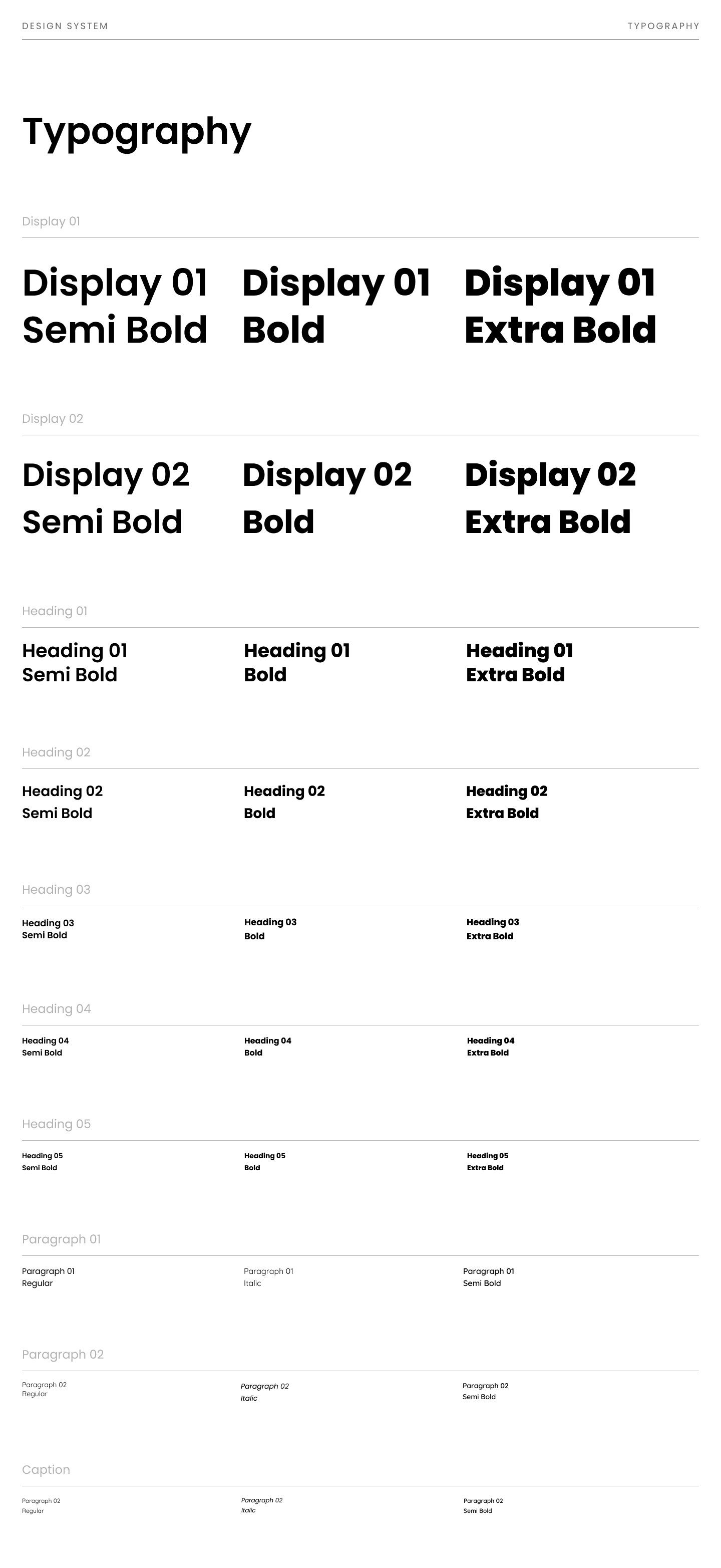
Finally, the General Sans typeface was chosen for its clear, approachable, yet professional feel. All these elements work in harmony to create a brand identity that users can immediately and wholeheartedly trust.
Branding and Visual Identity

The brand identity for Kindly was designed to instantly communicate safety, trustworthiness, and warmth. The logo itself reflects this mission by combining symbols of a 'wheat sheaf' and a 'peanut' to directly represent the common allergens the app helps manage. The color palette builds on this trust; a primary Cool Green connects to health and safety, while a secondary Warm Orange represents food and friendliness, with a neutral Gray for readable text. Finally, the General Sans typeface was chosen for its clear, approachable, yet professional feel. All these elements work in harmony to create a brand identity that users can immediately and wholeheartedly trust.

Design system

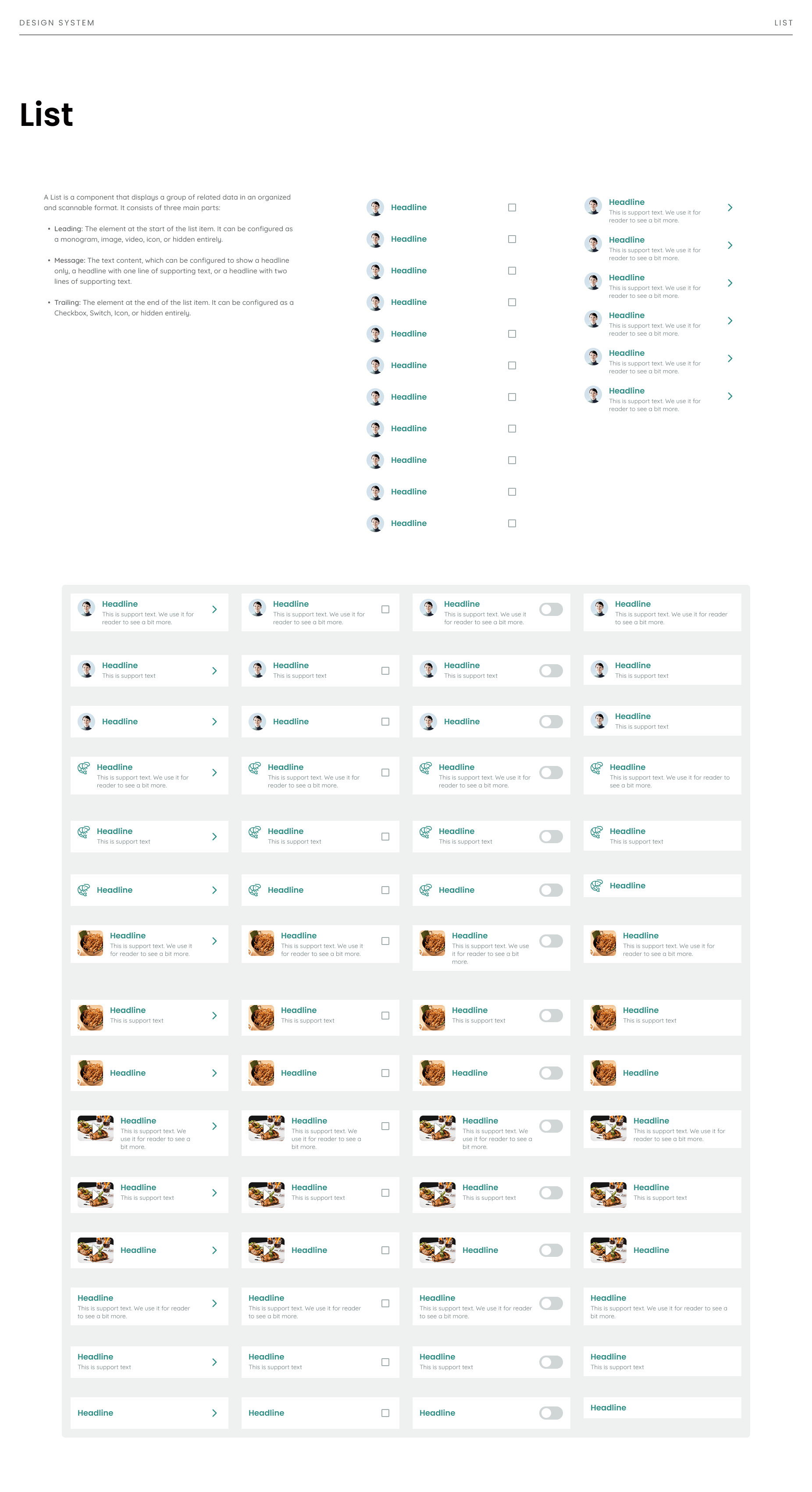
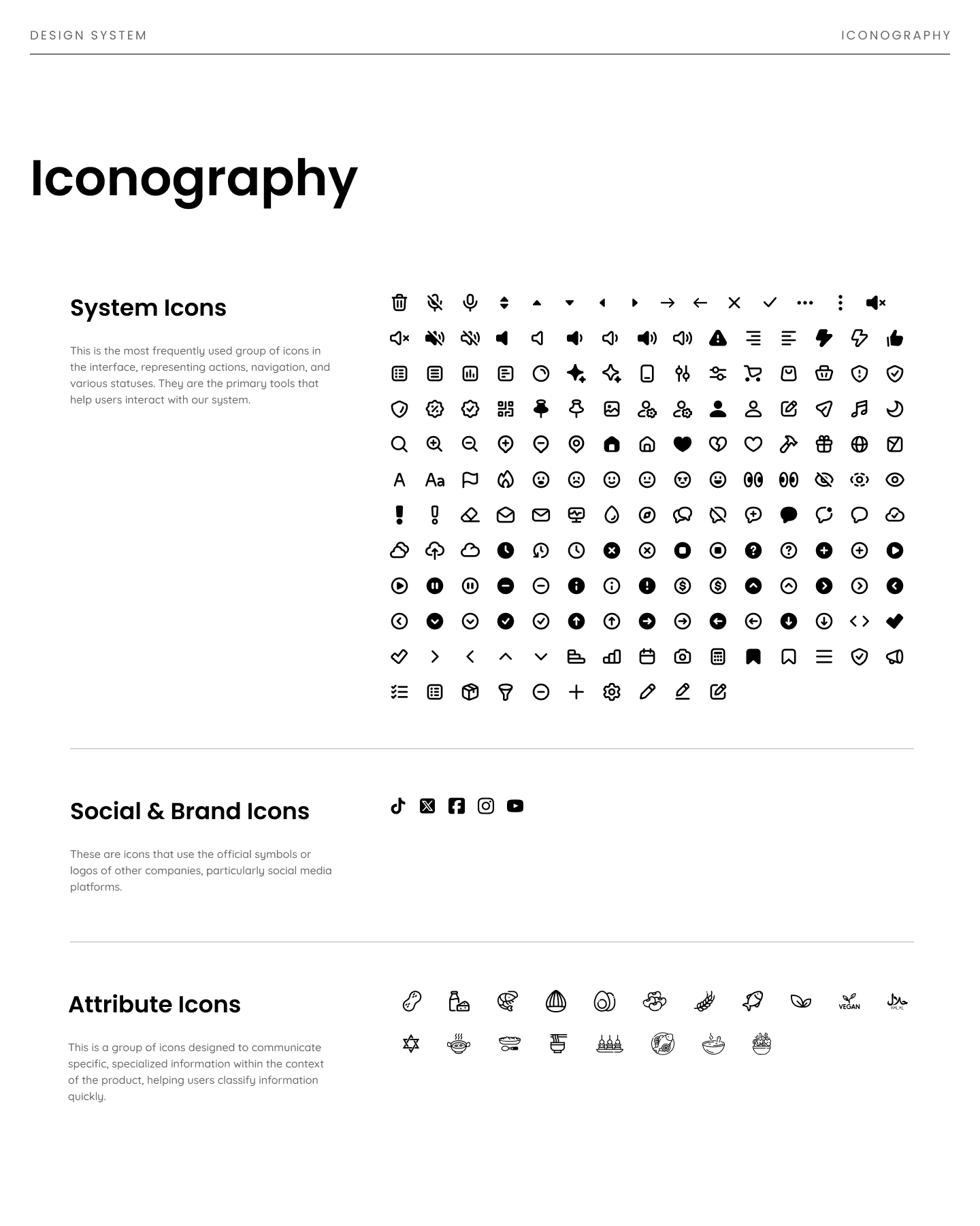
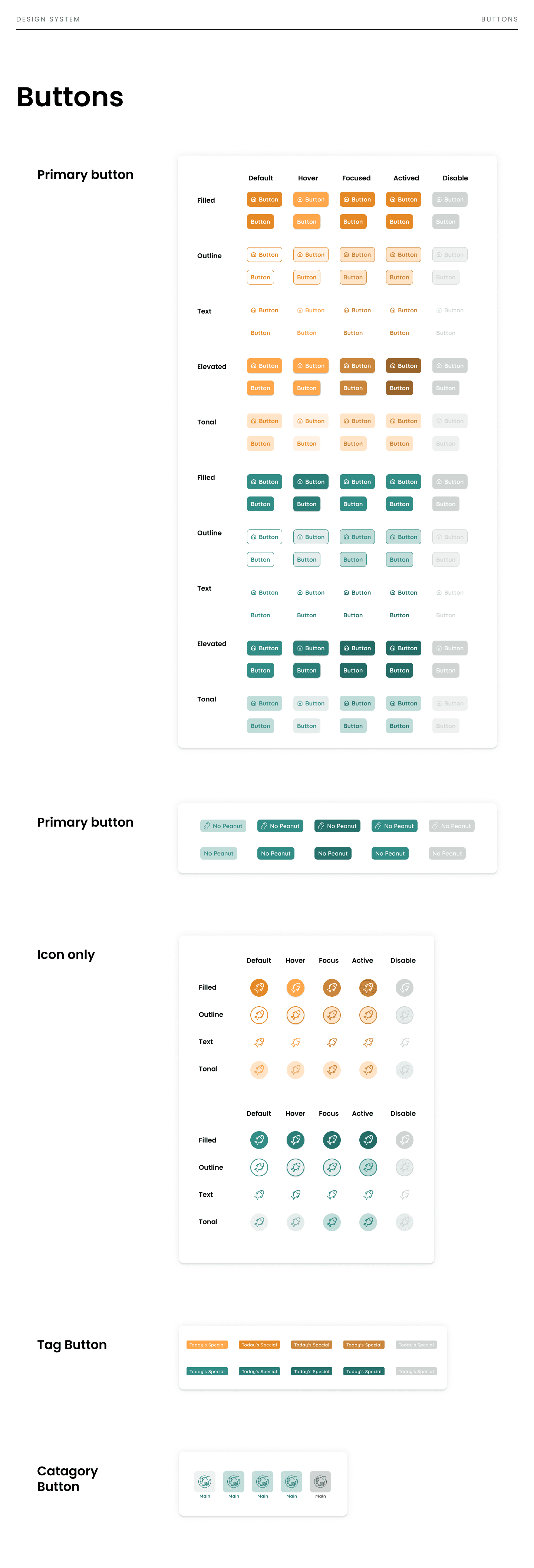
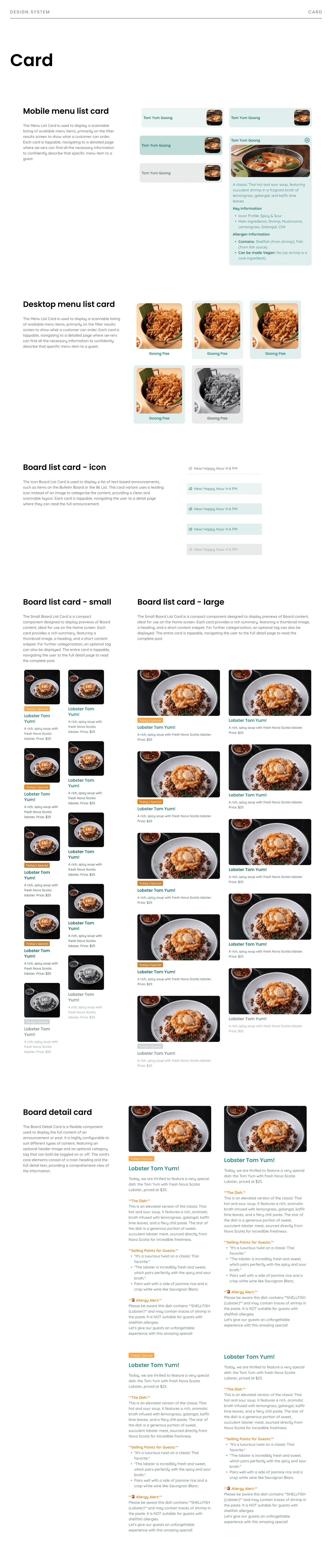
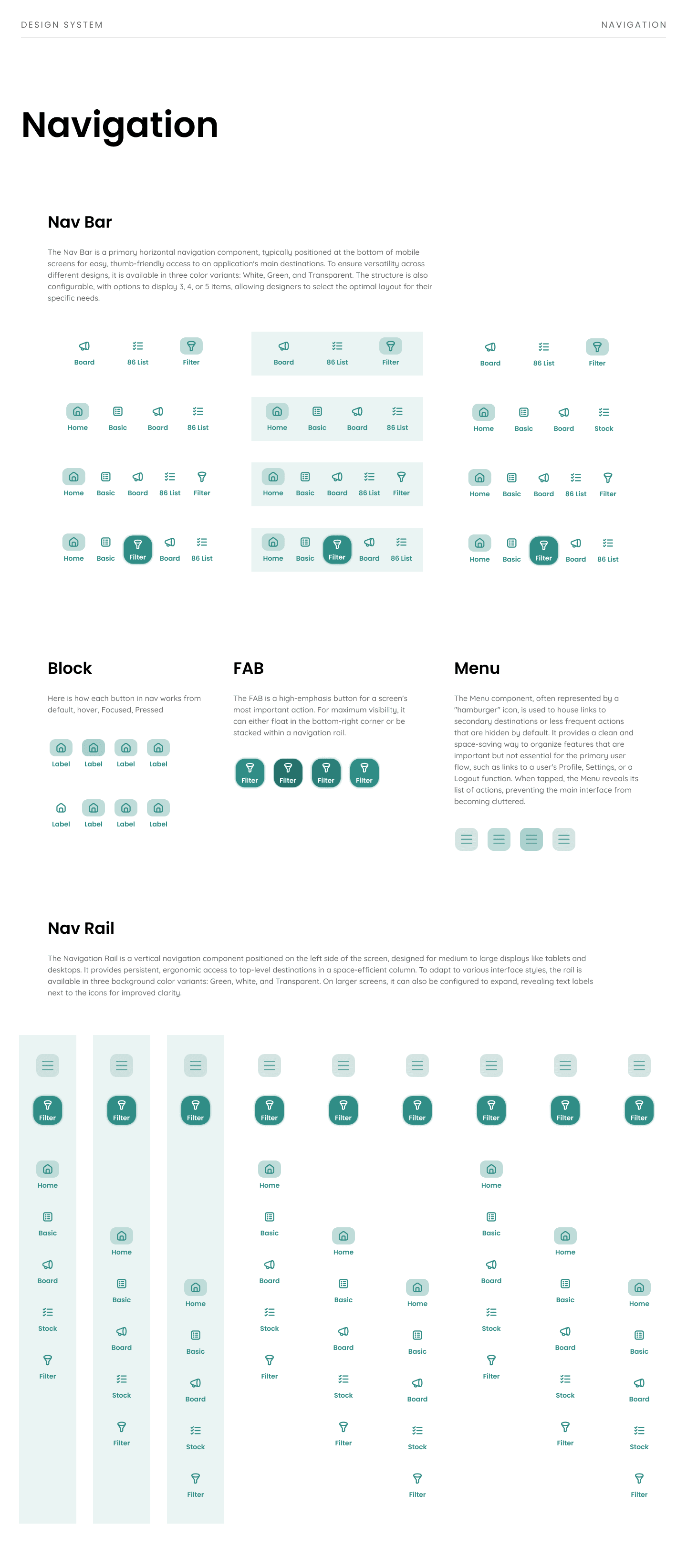
To ensure "Kindly" has long-term consistency and scalability, I built a comprehensive Design System. This system establishes all core visual foundations like Colors, Typography, and Iconography, and includes a full component library I designed, covering everything from Buttons and Cards to Navigation and Search. This system acts as a shared language for designers, developers, and stakeholders. It streamlines collaboration and speeds up future development, ensuring the product can evolve efficiently with a high-quality, cohesive user experience.
> View Design System on Figma

Hi-fidelity and prototype

I applied the Brand Identity and Design System to the wireframes to create the final, high-fidelity mockups. From these, I built a fully interactive, clickable prototype.

This prototype served three primary goals.

  • First, it allowed me to validate the design with users through usability testing and gather feedback for final refinements.

  • Second, it served as a clear blueprint to streamline the developer handoff by demonstrating all screen transitions and micro-interactions.

  • Third, it helped align stakeholders by presenting a tangible product, which enabled specific feedback and created shared confidence before development.

> View Hi-fidelity on Figma
> View prototype on Figma

Hi-fidelity and prototype

I applied the Brand Identity and Design System to the wireframes to create the final, high-fidelity mockups. From these, I built a fully interactive, clickable prototype.

This prototype served three primary goals.

  • First, it allowed me to validate the design with users through usability testing and gather feedback for final refinements.

  • Second, it served as a clear blueprint to streamline the developer handoff by demonstrating all screen transitions and micro-interactions.

  • Third, it helped align stakeholders by presenting a tangible product, which enabled specific feedback and created shared confidence before development.

> View Hi-fidelity on Figma
> View prototype on Figma

Hi-fidelity and prototype

I applied the Brand Identity and Design System to the wireframes to create the final, high-fidelity mockups. From these, I built a fully interactive, clickable prototype.

This prototype served three primary goals.

  • First, it allowed me to validate the design with users through usability testing and gather feedback for final refinements.

  • Second, it served as a clear blueprint to streamline the developer handoff by demonstrating all screen transitions and micro-interactions.

  • Third, it helped align stakeholders by presenting a tangible product, which enabled specific feedback and created shared confidence before development.

> View Hi-fidelity on Figma
> View prototype on Figma

More restaurants → More diner value
More diners → More restaurant value

AI-Powered Solutions

While usability testing confirmed the app was highly useful, it also revealed two critical workflow problems.

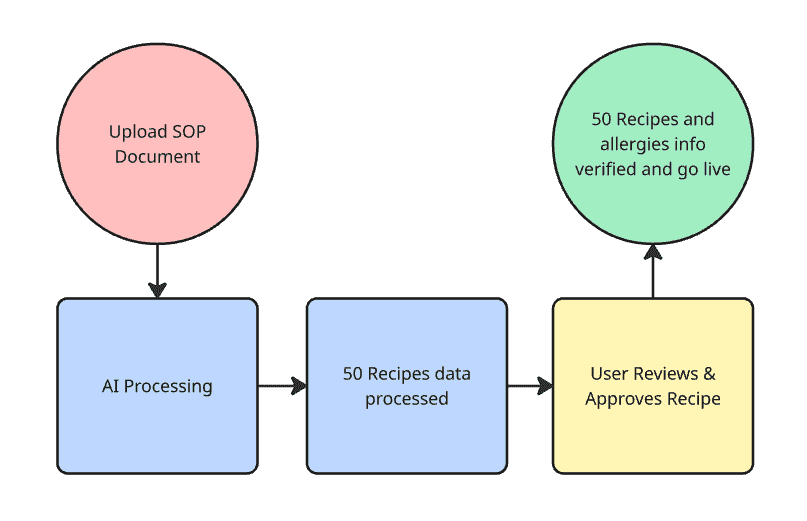
First, owners called the initial manual input of every menu detail a "massive burden" and a barrier to adoption. To solve this, I designed AI-Powered Recipe Onboarding. Since every restaurant already has SOP files, managers can simply upload their PDF. The AI then parses the file, extracting all key data like allergy info, ingredients, substitution ,and cooking steps, which a human user verifies before the data goes live, turning hours of setup into minutes of review.

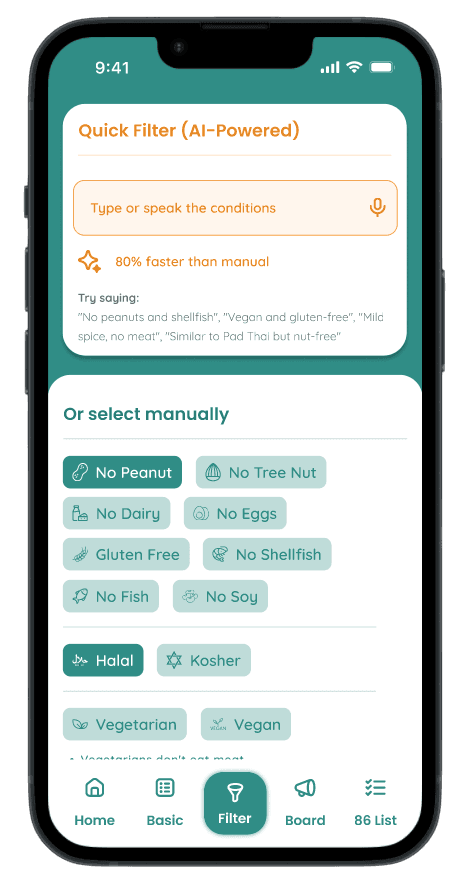
Second, testing showed the manual filtering process was too slow (18s). To fix this, I designed a Natural Language Query, allowing staff to speak a request like "no peanuts or dairy" and get a list of safe items in under 5 seconds, directly solving the speed issue.
Natural Language Query

Opportunity to grow to B2B2C

My research revealed a much larger B2B2C opportunity. Beyond an internal tool, there is a vastly underserved market of 36 million North Americans with food allergies. The long-term vision is to transform Kindly into a "Michelin Guide for allergies," using the B2B tool to power a consumer-facing app where diners can find verified-safe restaurants.

This creates a powerful network effect, and our key competitive moat—which crowdsourced competitors lack—is the verified, real-time data sourced directly from restaurant operations. This pivot expands the addressable market from $7M to over $500M, transforming Kindly from a niche tool into a category-defining, venture-scale platform with a true first-mover advantage.

Opportunity to grow to B2B2C

My research revealed a much larger B2B2C opportunity. Beyond an internal tool, there is a vastly underserved market of 36 million North Americans with food allergies.

The long-term vision is to transform Kindly into a "Michelin Guide for allergies," using the B2B tool to power a consumer-facing app where diners can find verified-safe restaurants.

This creates a powerful network effect, and our key competitive moat—which crowdsourced competitors lack—is the verified, real-time data sourced directly from restaurant operations.

This pivot expands the addressable market from $7M to over $500M, transforming Kindly from a niche tool into a category-defining, venture-scale platform with a true first-mover advantage.

RESTAURANTS

  • Manage menus

  • Get visibility

  • Pay subscription

More restaurants → More diner value
More diners → More restaurant value

DINERS

  • Search safe restaurant

  • Book table

  • Free+Paid

Learnings & Next Steps

This project reinforced that the best solutions come from following user insights, not initial assumptions. My "training app" idea pivoted to this "decision-support tool" when research revealed the core problem wasn't a lack of training, but the pervasive fear of food allergies.

Designing for this high-pressure environment taught me to prioritize speed and clarity, while the B2B2C vision showed how solving one problem well can reveal much larger opportunities. The next steps are to conduct final usability testing during actual service hours, followed by a pilot program with 3-5 Toronto restaurants.

The long-term vision is to scale this tool while developing the proposed AI features, ultimately creating a platform to serve the 36M+ North Americans with food allergies. This project matters because it solves the critical moment when someone asks, "Is this safe?" by transforming anxiety into confidence for both staff and diners.

This project reinforced that the best solutions come from following user insights, not initial assumptions. My "training app" idea pivoted to this "decision-support tool" when research revealed the core problem wasn't a lack of training, but the pervasive fear of food allergies.

Designing for this high-pressure environment taught me to prioritize speed and clarity, while the B2B2C vision showed how solving one problem well can reveal much larger opportunities.

The next steps are to conduct final usability testing during actual service hours, followed by a pilot program with 3-5 Toronto restaurants.

The long-term vision is to scale this tool while developing the proposed AI features, ultimately creating a platform to serve the 36M+ North Americans with food allergies.

This project matters because it solves the critical moment when someone asks, "Is this safe?" by transforming anxiety into confidence for both staff and diners.

Thank you for reviewing this work. I welcome questions and discussion.
© 2025 Auggie Patanukom. All Rights Reserved.

© 2025 Auggie Patanukom. All Rights Reserved.

© 2025 Auggie Patanukom. All Rights Reserved.

© 2025 Auggie Patanukom. All Rights Reserved.

© 2025 Auggie Patanukom. All Rights Reserved.