kindly
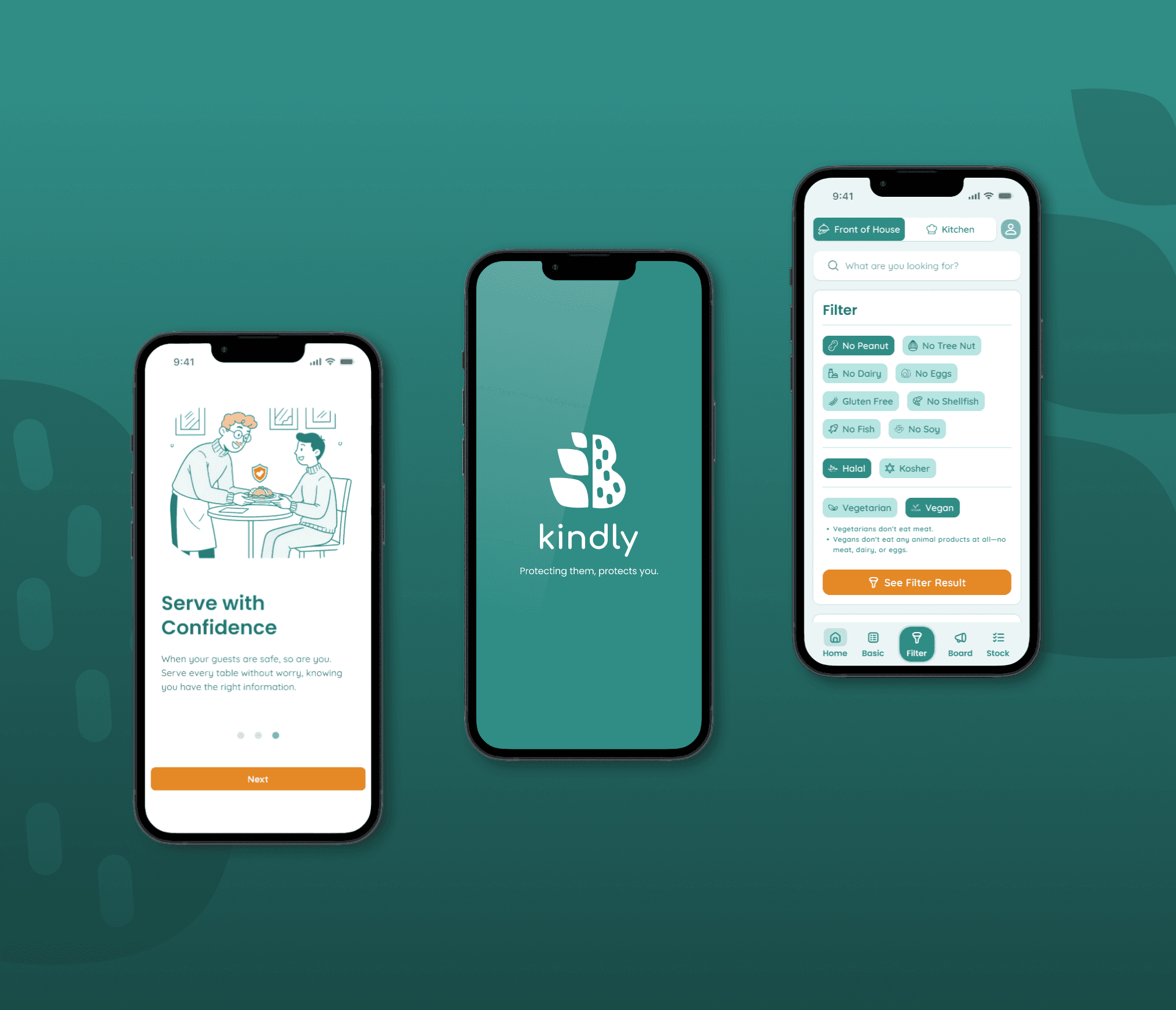
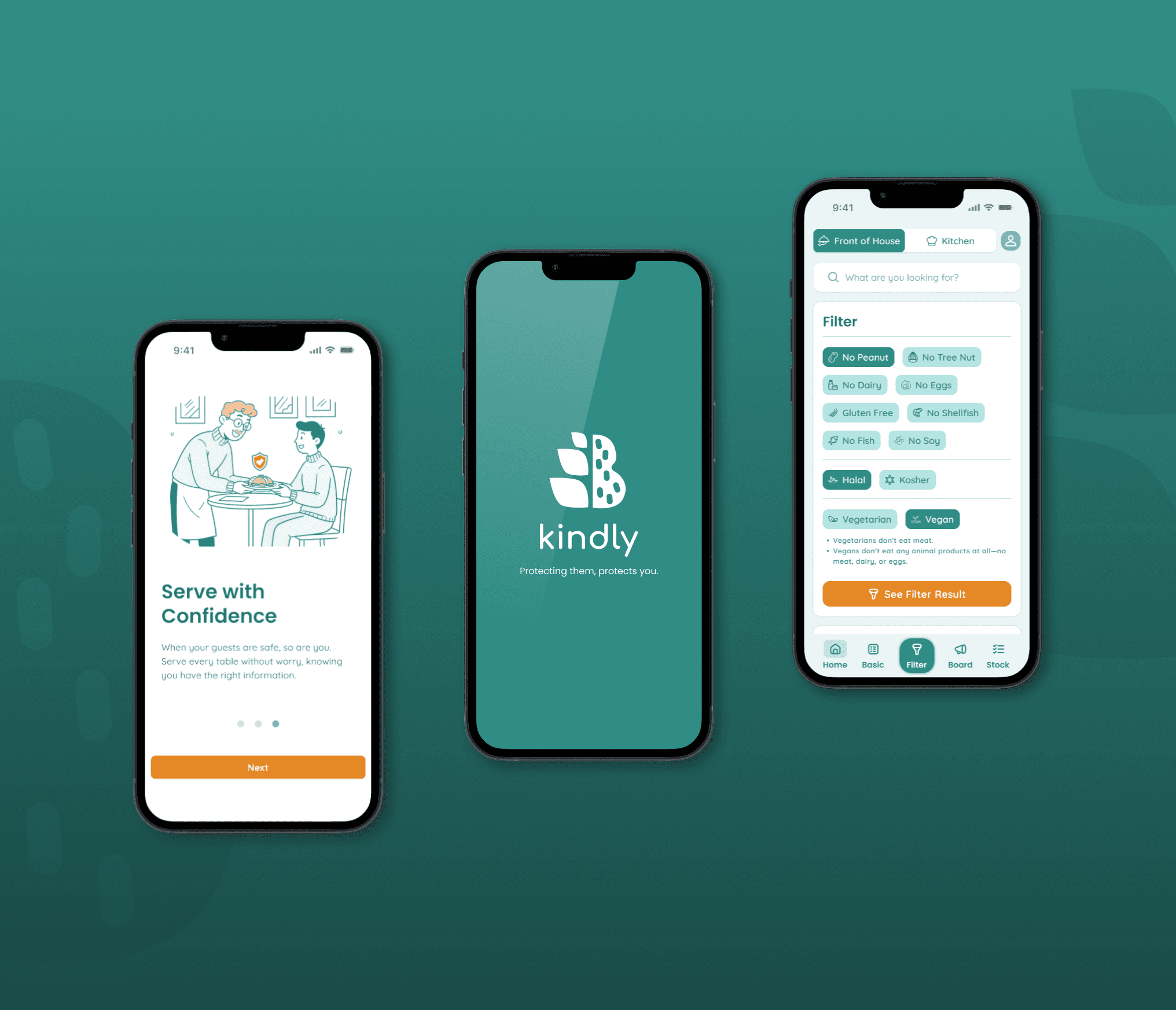
A UX case study focused on preventing dangerous allergic reactions in restaurants. 'Kindly' is a mobile tool designed to gives staff an easy-to-use filtering system to quickly identify safe menu options for customers with allergies.
Overview
In the high-stakes restaurant industry, a single food allergy mistake can devastate a business. This project, initially inspired by my part-time work to create a staff training app, pivoted after in-depth interviews revealed a more critical issue. The true problem wasn't a lack of training, but the pervasive fear of accidentally serving a guest with a food allergy.
This insight shifted my focus entirely. I designed Kindly, a "Single Source of Truth" mobile app built to solve this specific problem. Instead of a general training tool, Kindly empowers employees to handle all allergy and dietary inquiries with speed and certainty. Its core feature, the "Safe Menu Filter," instantly identifies safe options, transforming staff anxiety into confidence and ensuring a secure experience for every guest.
"A single food allergy mistake is devastating. It puts a diner's health in serious danger and can ruin our restaurant's reputation overnight."
— Jimmy Chu, Restaurant Owner
Persona
To understand everyone's perspective, our personas cover the key roles in the restaurant. This includes the Owner who looks after the entire business, the Server who deals directly with guests, and the Cook who needs to be absolutely sure that every dish is safe to eat.

Jimmy Chu
Restaurant Owner - Age 45
Jimmy is a 45-year-old second-generation restaurant owner in Toronto. He is deeply passionate about authentic Thai cuisine, using recipes passed down from his parents. However, he is haunted by a past incident where a customer had a severe allergic reaction to hidden shrimp paste in a Pad Thai sauce. The event nearly destroyed his restaurant's reputation, costing him significantly and leaving him with a constant fear of it happening again. He now feels an immense weight of personal responsibility for every dish that leaves his kitchen.
Goals
To establish a trustworthy system to prevent another allergy incident from ever happening again.
To empower every staff member to access accurate ingredient information independently.
To restore customer trust and protect the restaurant's reputation.
To be able to run the restaurant with peace of mind, without having to personally oversee every dish.
Frustrations
Feels that relying on his and his head chef's memory is too great a risk.
Constantly worries that another critical mistake will occur.
Unable to effectively teach all the complex ingredient details to every staff member.
Feels like an information bottleneck, which prevents the restaurant from scaling effectively.

Tony Simson
Server - Age 34
Tony is a 34-year-old server who, despite having several months of experience, remains anxious about food allergies. At a previous job, he witnessed a traumatic incident where a customer had a severe peanut allergy reaction, requiring an ambulance. The chaotic situation left a lasting impact, and he is now terrified of making a similar mistake. He wants to provide excellent, safe service and is motivated by the large tips he receives when guests praise his attention to their specific needs.
Goals
To get fast and accurate answers to instantly verify if a dish is safe for a customer.
To confidently recommend safe and delicious alternative dishes to guests.
To provide attentive, high-quality service that makes guests feel cared for and secure.
To avoid making a critical mistake that could harm a guest and jeopardize his job.
Frustrations
The constant back-and-forth between the table and the kitchen is inefficient and stressful.
Forgetting ingredient details and having to rely on the head chef, who is always busy.
Feeling uncertain about what to recommend when a customer's first choice isn't safe, potentially losing a sale.
The deep-seated fear of being responsible for a customer having a severe allergic reaction.
Jenny Tamada
Cook - Age 28
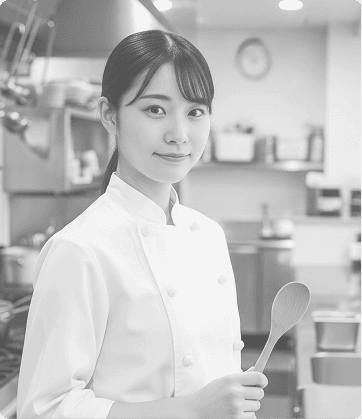
Jenny is a 28-year-old cook who is on the front line of food preparation. She feels the immense pressure to be 100% accurate, especially when it comes to allergies. She gets stressed when servers ask about ingredients in pre-made sauces prepared by other chefs, as she wasn't involved in making them. The fear of cross-contamination or using a wrong ingredient is always on her mind.
Goals
To have immediate and certain access to all ingredient information, especially for pre-made sauces and bases.
To receive clear, unambiguous instructions for every special dietary request.
To know exactly what substitutions are safe and approved by the restaurant.
To cook with confidence, knowing every dish she sends out is 100% safe for the guest.
Frustrations
Feeling responsible for ingredients she didn't prepare herself.
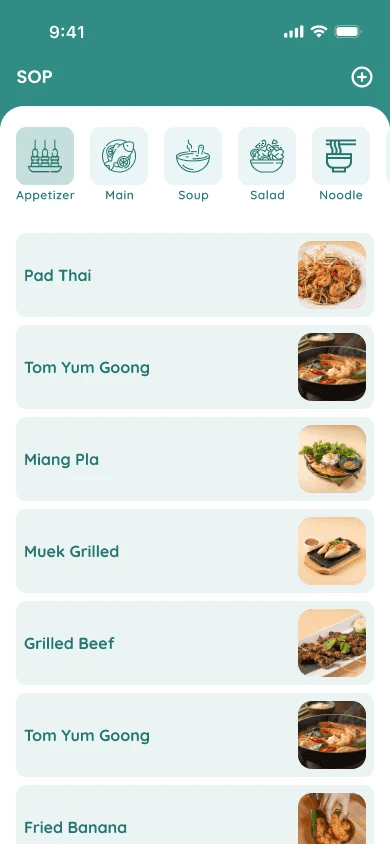
The current SOP book is too slow and impractical to use during a busy service.
Receiving ambiguous requests from servers that leave room for error.
The fear of making a mistake due to incomplete information, which could harm a customer.
Information Architecture
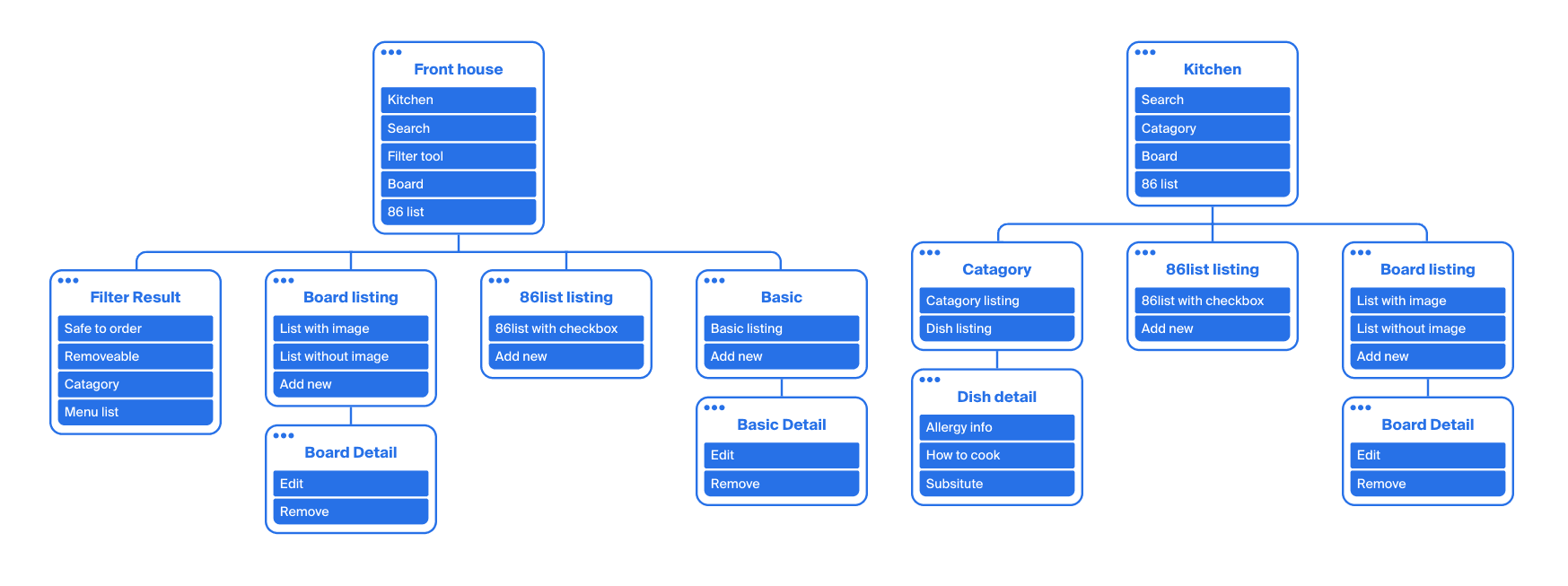
Based on card sorting, it became clear the app's IA needed to be role-based to succeed in a busy restaurant. The needs of fast-paced, customer-facing staff (FOH) are fundamentally different from the accuracy-focused kitchen staff (BOH). This insight led to a bifurcated architecture with two distinct but interconnected portals.
Front-of-House (FOH) Portal
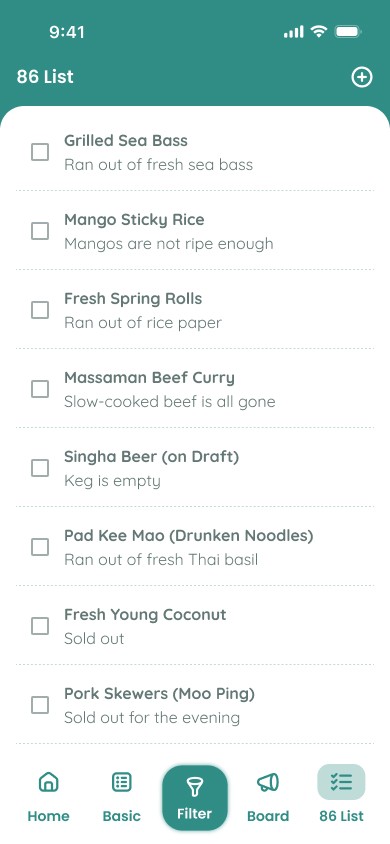
This portal is streamlined for speed and service. It prioritizes the Core Filtering Workflow for instant, confident allergen answers at the tableside. It also provides a real-time 86 List and Board to give servers immediate updates on item availability and daily specials.
Back-of-House (BOH) Portal
This portal is the command center built for accuracy, acting as the "Single Source of Truth." It is centered on Menu Data Management, where all official allergen info, recipes, and substitutions are controlled. It also provides the kitchen with operational tools, like the ability to update the 86 List.
Shared Architecture for Seamless Operations
The 86 List and Board are deliberately shared across both portals. This design creates a vital, real-time communication bridge, ensuring FOH staff instantly see BOH updates. This simple sync prevents communication errors, reduces friction, and keeps the entire restaurant operating from the same information.
User Flows and the Path to a Solution
Impact
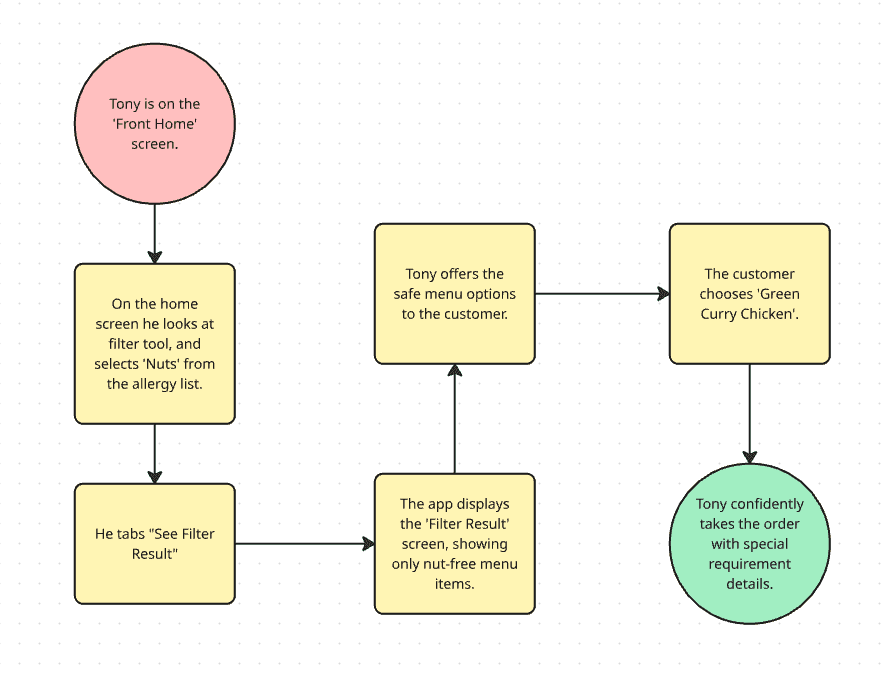
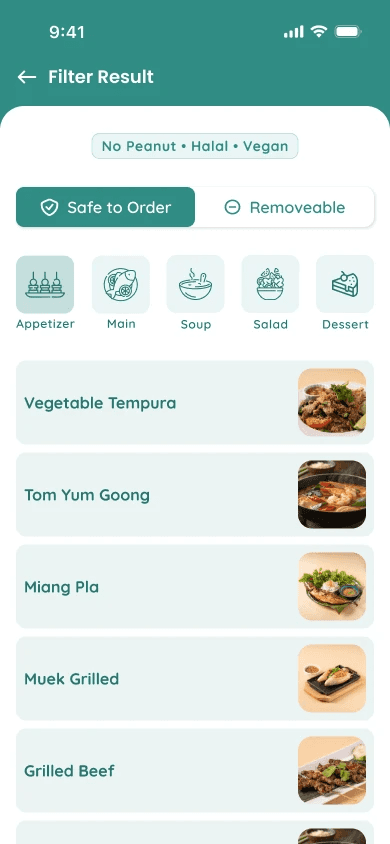
This flow illustrates how Kindly eliminates the chaotic and time-consuming step of running back and forth to the kitchen. Tony can use the 'Filter Tool' to instantly filter and present safe menu options directly to the customer at their table. This process not only builds trust and impresses the guest but also empowers Tony to perform his job with the highest level of confidence and professionalism.
Flow 2: Ensuring Kitchen Accuracy and Safety
For our kitchen staff persona, Jenny, clarity of information is the key to preventing critical errors. This flow shows how Kindly functions as the "Single Source of Truth" that ensures safety begins in the kitchen.
Scenario
Jenny receives a ticket for Pad Thai with a handwritten note: "Severe shellfish allergy, check sauce."
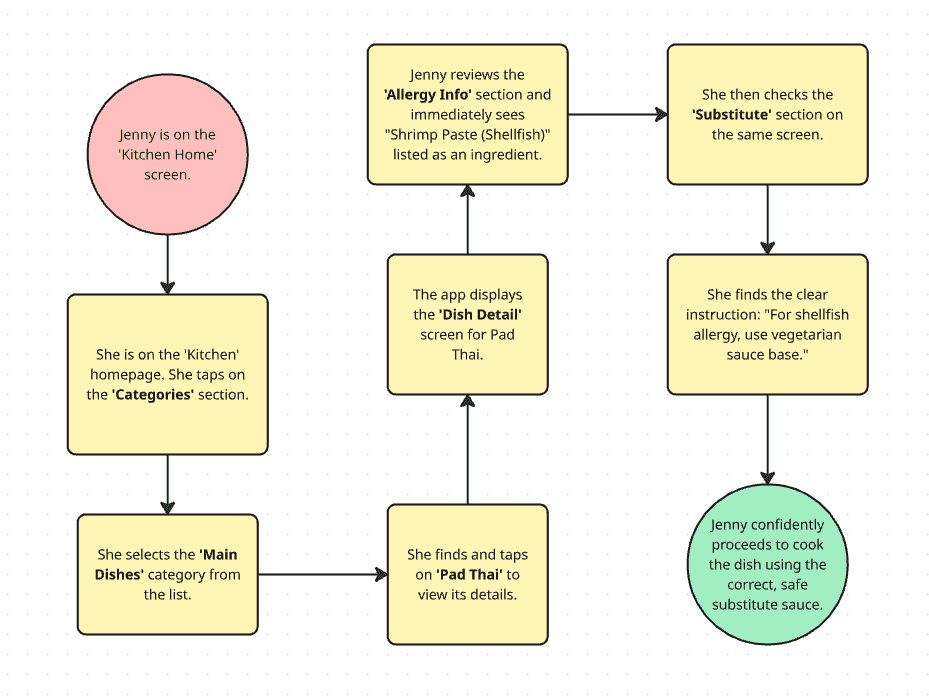
Impact
This journey highlights that Jenny no longer needs to guess, second-guess, or rely on a coworker's memory. She can use the app to instantly verify official ingredient and allergen data and quickly find the approved substitute. This flow confirms that Kindly is essential in preventing dangerous errors at the source and upholding the restaurant's safety standards.
Wireframing from Sketches to Structure
With a clear information architecture and user flows established, the next step was to translate these concepts into tangible screen layouts. I began with low-fidelity sketches to explore ideas quickly, then progressed to mid-fidelity wireframes to solidify the app's structure and detail.
Low-Fidelity Sketches
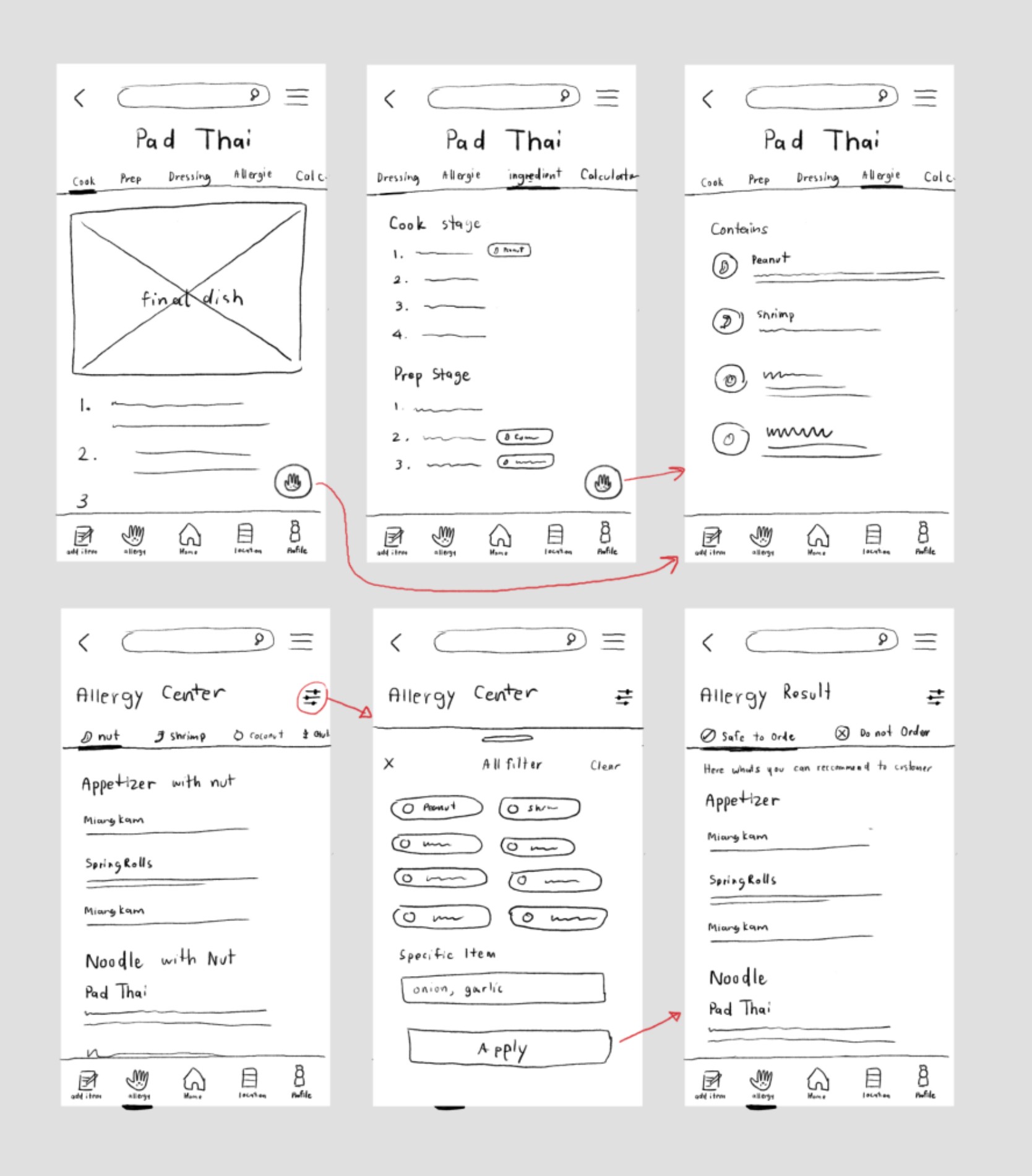
I began with low-fidelity paper sketches to quickly brainstorm and test various layouts for the core features without focusing on aesthetics. The primary goal at this stage was to find the most intuitive structure for the key user tasks.
As seen in the sketches, our focus was on two critical areas that are central to solving the user's problem:
The Dish Detail Page: I experimented with layouts to organize complex information like ingredients, cooking steps, and allergy data.
The Allergy Filtering System: I explored different interfaces to ensure the filtering process would be as fast and simple as possible for servers like Tony.
Adding Clarity and Detail with Mid-Fidelity Wireframes
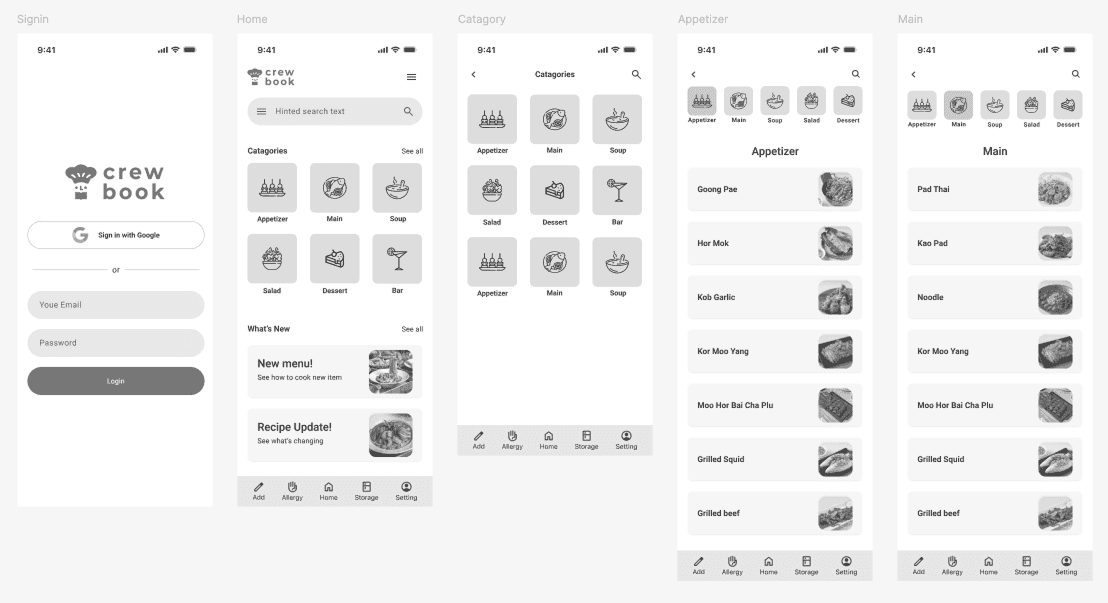
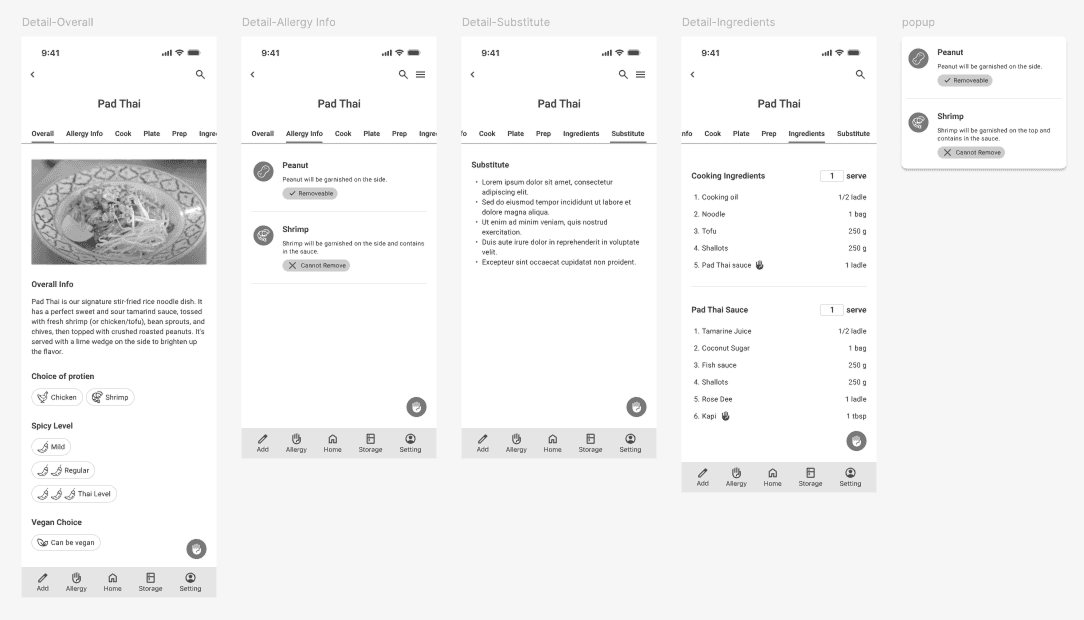
After validating the basic concepts with sketches, I transitioned to digital mid-fidelity wireframes. The goal here was to add more detail, establish a clear information hierarchy, and refine the layout of all components on the screen.
Early Usability Testing and Key Findings
Before moving to the final visual design, I used these mid-fidelity wireframes to conduct an early round of usability testing and post-test user interviews. This step was crucial for validating our structural decisions and identifying potential usability issues early on.
The testing sessions revealed several critical insights.
Button Size. Buttons and tap targets were too small, which was not ideal for a fast-paced and potentially stressful restaurant environment.
Filter Accessibility. The "Filter Tool," a core feature, was not immediately discoverable. Several users took longer than expected to locate it.
Finding Allergy Info. The path to finding specific "Allergy Info" for each menu item was not as intuitive as I had hoped.
I collected this valuable feedback and used it to directly inform our design iterations. These key improvements were then implemented in the final high-fidelity designs and prototype, ensuring the end product was not only well-structured but also genuinely easy to use in a real-world context.
Branding and Visual Identity
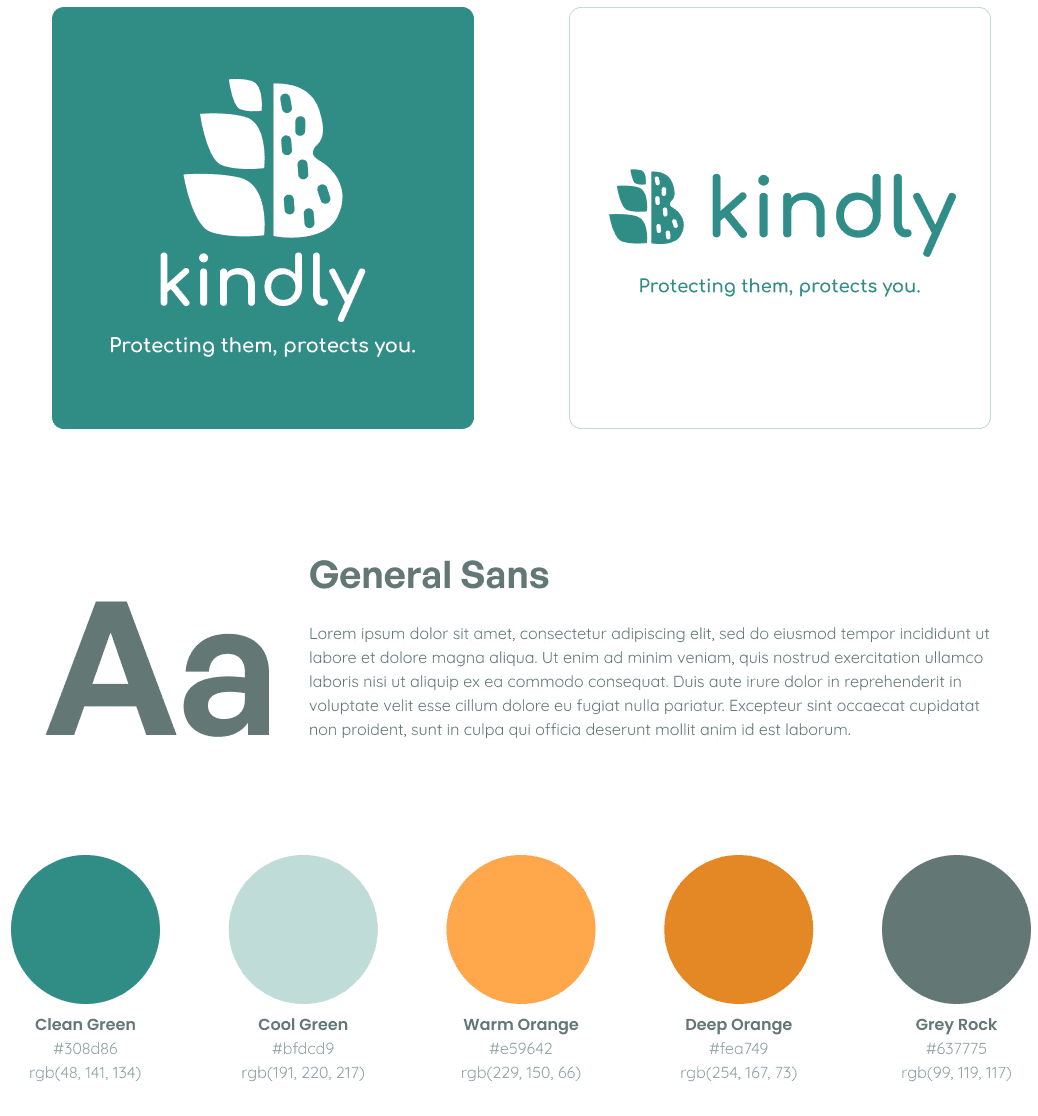
The goal for Kindly's brand design was to create a visual identity that clearly communicates safety, trustworthiness, and a warm sense of friendliness. This ensures that users feel confident and can immediately place their trust in our application.
Logo Design
The Kindly logo was designed by simply combining the symbols of a 'wheat sheaf' and a 'peanut.' These two symbols represent some of the most common food allergen groups (gluten and nuts). Using these symbols directly and transparently communicates the app's core mission of protecting people from allergens.
Color Palette
I chose a color pairing that creates a sense of balance and communicates clear meaning:
Cool Green (Clean Green - #308d86): This is used as the primary color to create a connection to medicine, health, and safety, making the user feel calm and confident.
Warm Orange (Warm Orange - #e59642): Used as the secondary color, this represents food, warmth, and friendliness. The use of these complementary colors gives the brand a sense of dimension and appeal.
Gray (Normal - #637775): This was chosen for text and secondary elements to ensure readability and visual comfort without distracting from the primary colors.
Typography
I chose the typeface General Sans, a Sans Serif font known for its clarity and readability on digital screens of all sizes. The letterforms have slight curves, giving them a friendly and approachable feel, while maintaining a strong structure that communicates trustworthiness and professionalism.
All of these elements—from the logo and colors to the typography—are designed to work in harmony to create a brand identity that users can wholeheartedly "trust."
Design system
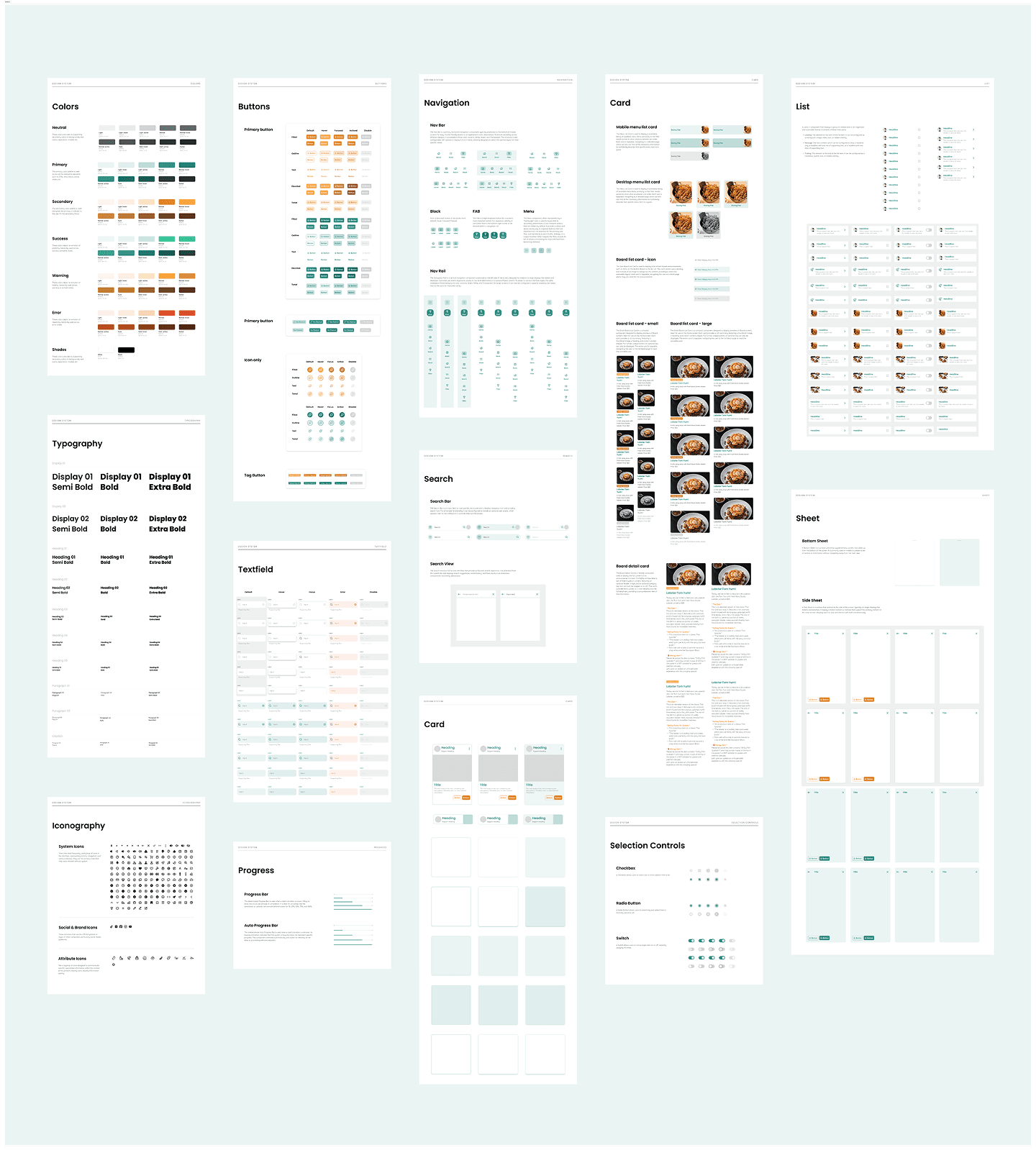
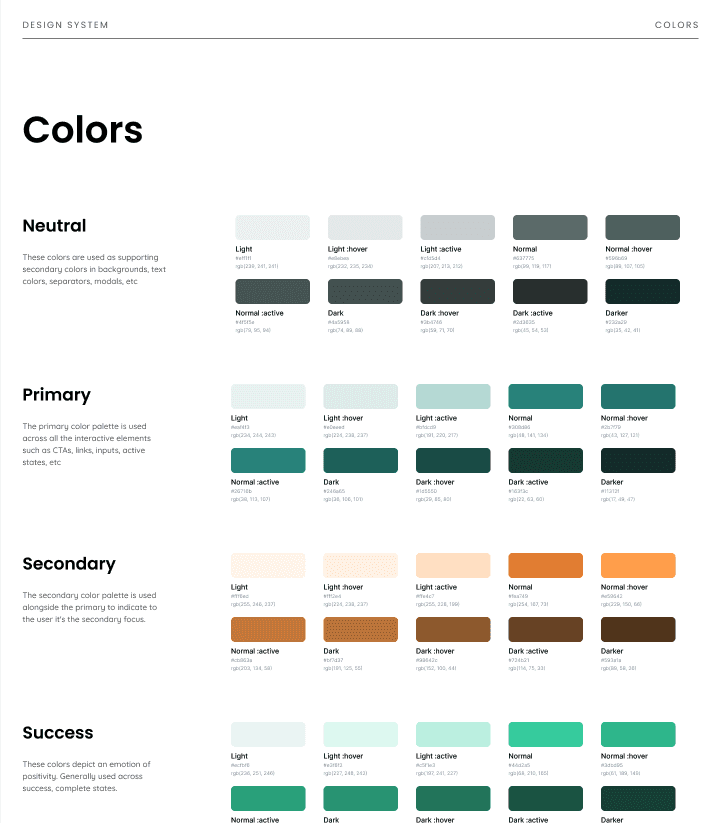
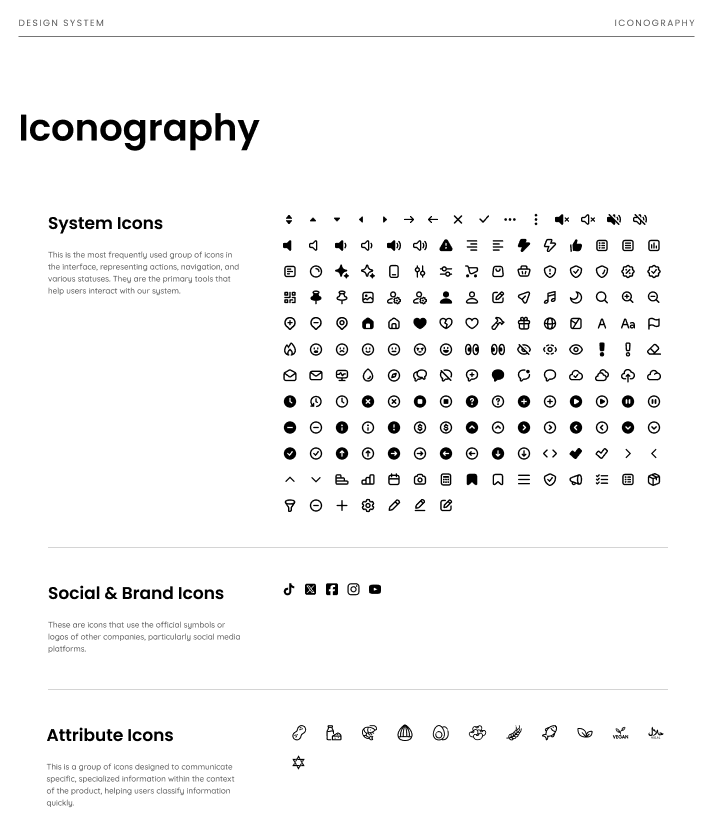
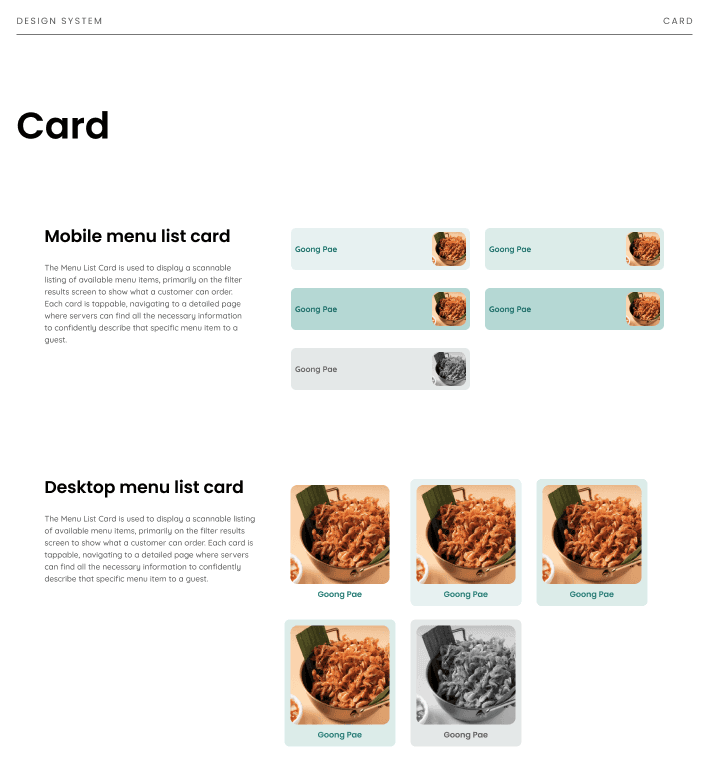
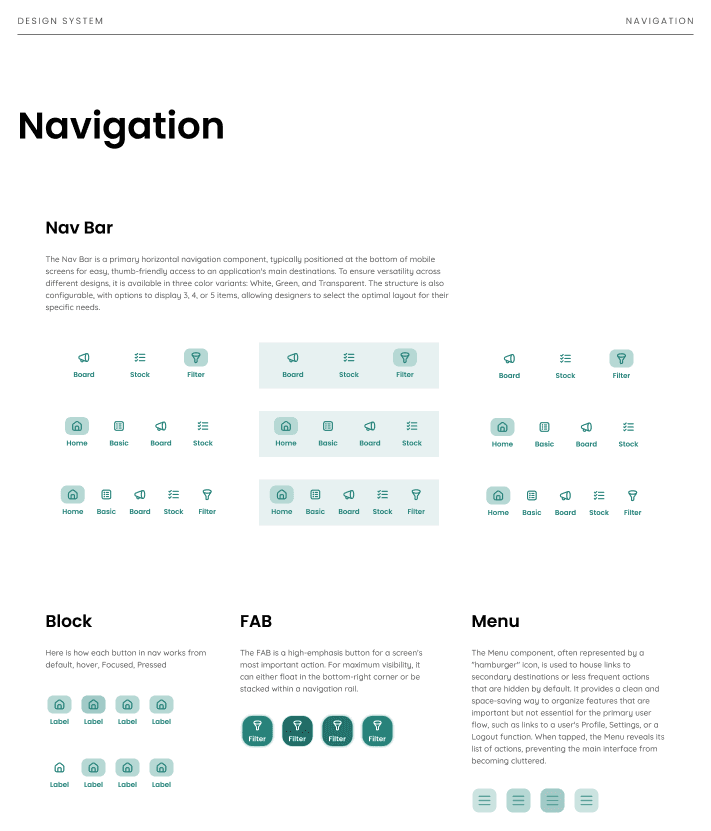
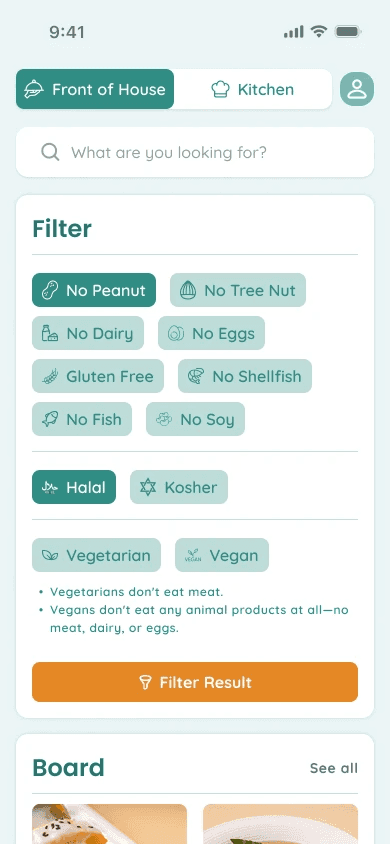
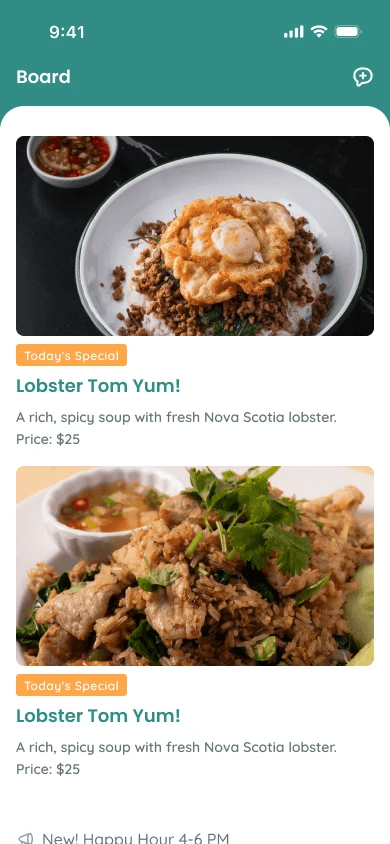
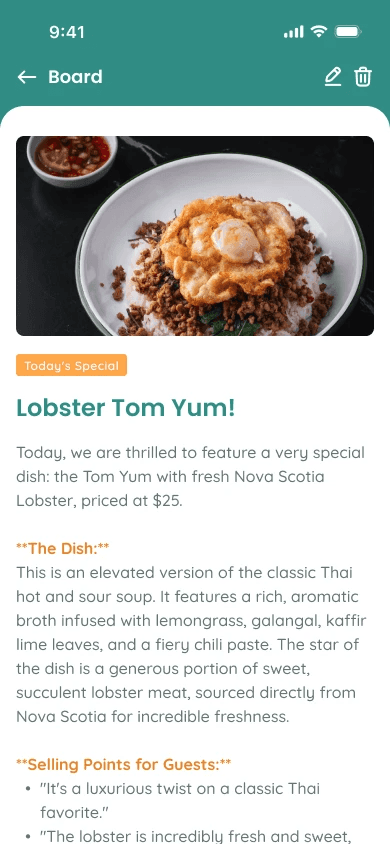
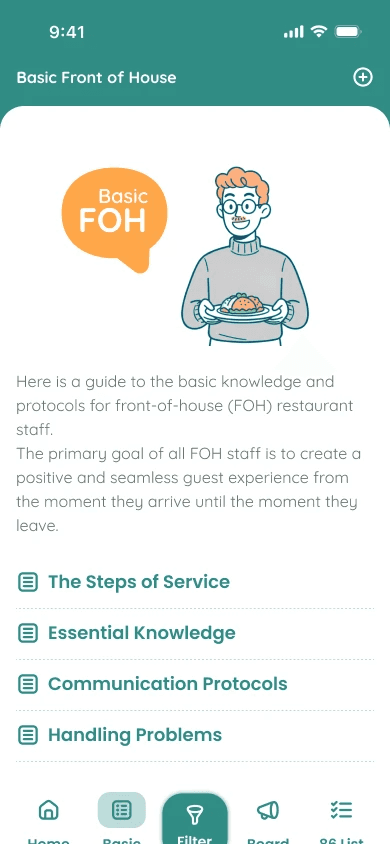
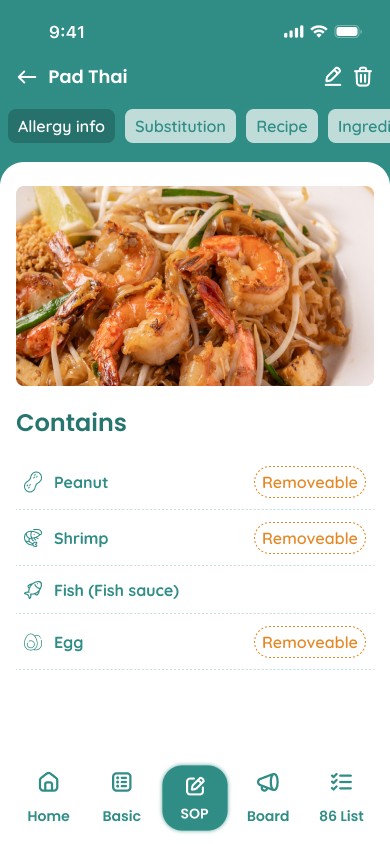
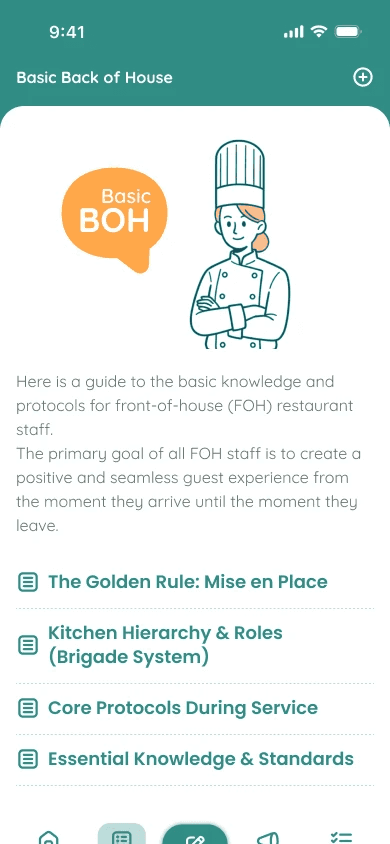
To ensure consistency and long-term scalability for "Kindly," I built a comprehensive Design System. It establishes the core visual foundations—Colors, Typography, and Iconography—and expands into a full component library that I designed, which includes Buttons, Textfields, Navigation, Search, Cards, Lists, Progress, Selection Controls, and Sheets. This system serves as a shared language for designers, developers, and stakeholders, which streamlines collaboration and significantly speeds up future development. By defining all UI elements, the system ensures a cohesive user experience and allows the product to evolve efficiently and with high quality.


Future Vision
While designing Kindly, I identified opportunities for future enhancements. These explorations are not features for immediate implementation, but rather strategic concepts included here to demonstrate my approach to long-term product vision and business strategy.
AI Features
Usability testing revealed critical workflow issues that simple UI changes couldn't fix. The biggest was the adoption barrier for owners, who called the initial manual recipe input a "massive burden."
Testing also confirmed three daily workflow problems:
Slow Filtering: An 18-second average was too long for a busy shift.
Data Maintenance: Staff forgot to update ingredients during a rush.
Low Confidence: Servers struggled to suggest safe alternatives.
Realizing these were systemic issues, not just UI problems, I explored how AI could solve these specific pain points.
AI-Powered Recipe Onboarding
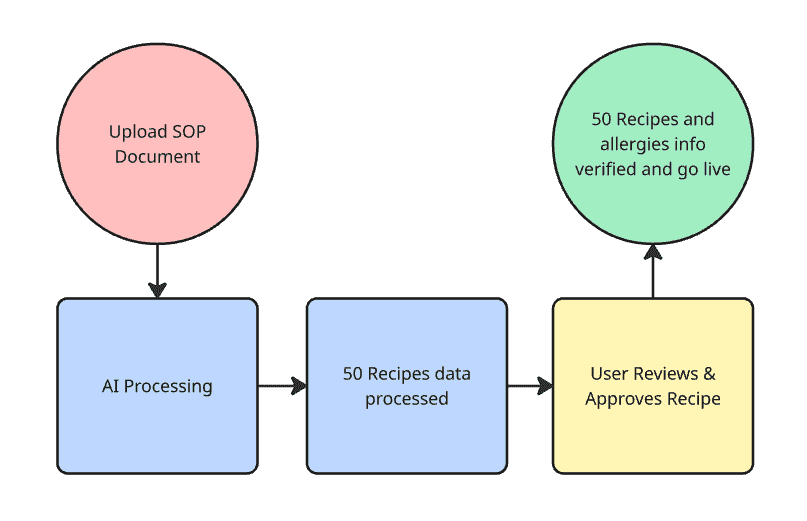
To solve the significant adoption barrier of manual data entry, I explored an AI feature that lets managers upload existing recipe documents or SOPs. The system parses these files, extracts recipe lists, and automatically cross-references ingredients to flag potential allergens. To ensure 100% safety, a mandatory review screen requires a manager to verify all AI-generated data before it goes live. This feature reduces setup time from hours of manual entry to just minutes of review, dramatically lowering the barrier to adoption.
Natural Language Query
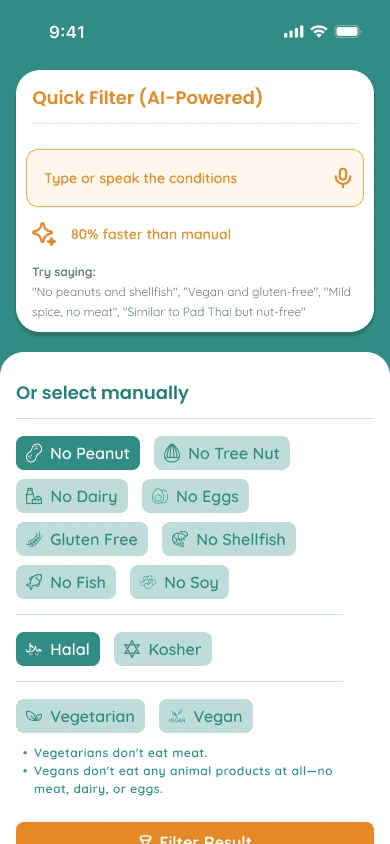
To solve the 18-second filtering speed challenge, I designed a Natural Language Query system. Staff can now speak or type "no peanuts or dairy" to get instant results instead of using manual filters. This concept was strongly validated in testing with 8 staff, where 7 out of 8 preferred this method (8.9/10 usefulness). This feature cuts filtering time by 80% (from 18 to under 5 seconds), directly solving the speed problem found in testing.
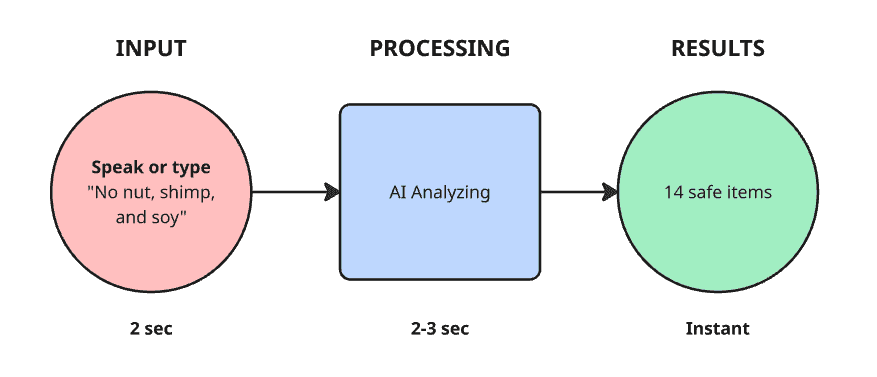
Photo Ingredient Recognition
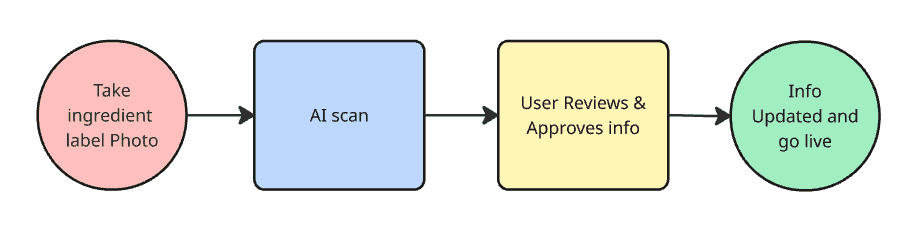
To solve the data maintenance burden, I explored a computer vision feature. Kitchen staff simply photograph a new ingredient label, and the AI reads it, identifies new allergens, and suggests updates to all affected recipes. A mandatory verification step by a human user ensures 100% accuracy while dramatically reducing manual entry time. This concept was validated by five managers who all confirmed they would use it, emphasizing the importance of the built-in verification step.
Smart Menu Recommendations
To address the "blank stare moment" servers described when a dish contains allergens, I explored Smart Menu Recommendations. This AI feature analyzes dish attributes (flavor, texture) to rank safe alternatives by similarity. For instance, if a customer can't have Pad Thai due to peanuts, the AI instantly suggests Pad See Ew as the top safe alternative. This empowers servers to confidently turn a potential lost sale into an upsell.
Opportunity to grow to B2B2C
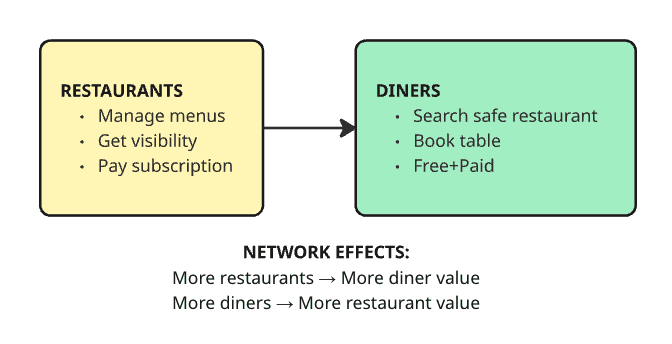
Research revealed a larger opportunity. There are over 36 million North Americans with food allergies who lack trusted safe restaurants, an underserved market that restaurants struggle to reach. I explored transforming Kindly from an internal tool into a two-sided platform, like a "Michelin Guide for allergies," to connect allergy-conscious diners directly with verified safe restaurants.
How It Works
Restaurants use the B2B tool to manage their verified allergen data. This data automatically powers a consumer-facing app where diners can find safe restaurants. This B2B2C model creates a powerful network effect. More restaurants attract more diners, which in turn incentivizes more restaurants to join. The verified, real-time data from operations becomes the key competitive moat, which unreliable, crowdsourced competitors lack. This specific market remains untapped in Canada.
Business Impact
This platform pivot expands the addressable market from $7M (Canadian B2B) to over $500M (North American platform) by unlocking new revenue streams like subscriptions, reservations, and advertising. More importantly, it transforms Kindly from a niche operational tool into a category-defining, venture-scale platform with massive potential across both the Canadian and US markets.
Strategic Rationale
Existing solutions are flawed. US competitors rely on unreliable crowdsourced data, and Canada lacks a strong competitor. Kindly's unique position is its verified, real-time data sourced directly from restaurant operations. No competitor connects back-end operations with consumer discovery. This creates a true first-mover advantage for our B2B2C model in the North American market.
Learnings & Next Steps
This project reinforced that the best solutions come from following user insights rather than initial assumptions. The pivot from training app to decision-support tool happened because I listened when users told us training wasn't the problem—instant access to verified information was.
Designing for high-pressure restaurant service taught me to ruthlessly prioritize speed and clarity. The bifurcated FOH/BOH architecture showed me that the best design often solves problems at the system level, not just the interface level.
Exploring AI features and platform expansion demonstrated how solving one problem well can reveal exponentially larger opportunities. Good designers solve the brief. Great designers identify opportunities the brief didn't know existed.
Next Steps
Final usability testing during actual service hours, followed by a pilot program with 3-5 Toronto restaurants. If successful, expand to 50-100 restaurants while developing AI features, with long-term vision of a consumer-facing platform serving North America's 36M+ people with food allergies.
Why It Matters
This project addresses the critical moment when someone asks "Is this safe?" Restaurant staff shouldn't have to choose between speed and safety, and customers shouldn't feel anxious about dining out. Kindly transforms uncertainty into confidence at that crucial moment. Multiplied across thousands of interactions, this could meaningfully improve how millions of people experience dining.
Thank you for reviewing this work. I welcome questions and discussion.